

You pay for a game key, expect instant delivery, and then the order starts behaving oddly. Maybe the payment drops into review, maybe the order sits on pending longer than it should, or maybe the code shows up and refuses to redeem. That is usually the moment people start digging for answers, because there is no package to track and nothing visible to confirm the purchase is really moving.
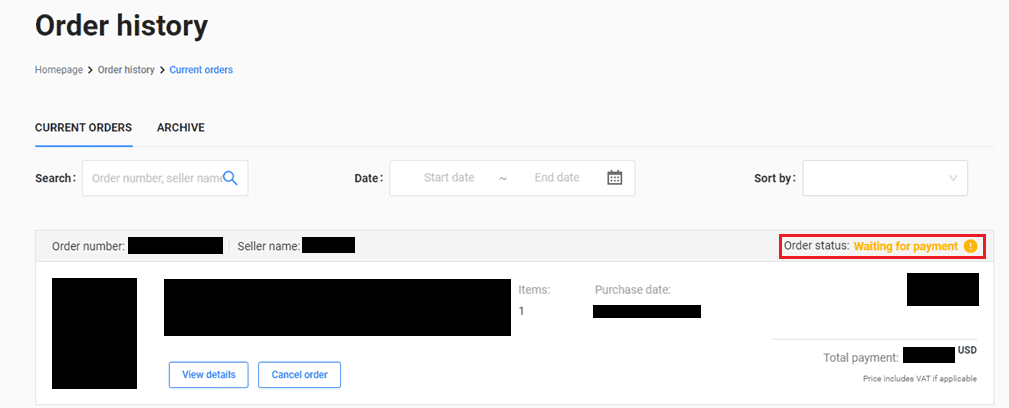
Most of the time, the order is not gone. One part of the process just has not cleared yet. Payment authorization, fraud checks, region validation, stock assignment, and code delivery can all create a gap between being charged and getting a working key. The smart move is to settle the situation first, not start five different fixes at once and make it harder to tell what happened.
Read the order in sequence. Check the payment state first, then the product details, then delivery, and only then the code itself. A lot of activation failures actually start earlier than the redemption screen.
What Changed
When account behavior shifts after checkout, it usually lands in one of three buckets. First: a secure payment hold. Your card or wallet may show a successful charge or pre-authorization while the store still marks the order as pending. That usually means the funds were reserved, but the merchant system is still waiting on final approval.
Second: payment clears, but delivery drags. The order may look complete while the key is still missing. That often points to stock syncing, account verification, or an automated review step. Stores can accept payment before they assign a code, especially during launches, major sales, or regional spikes in demand.
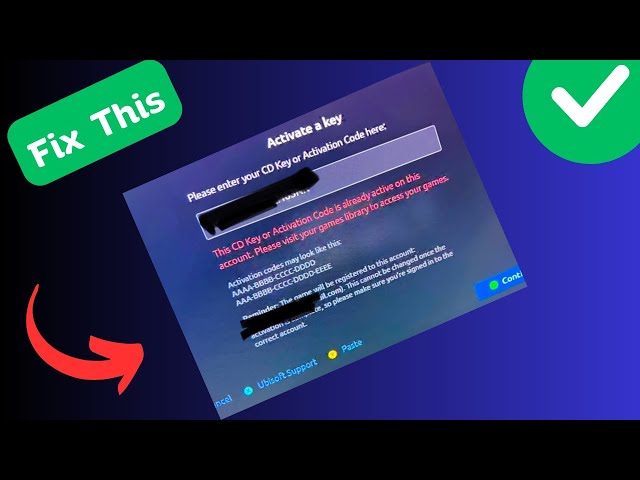
Third, and most annoying: the key arrives, but it does not work. Before you assume the seller sent a bad code, check the basics. Make sure the code matches the platform, region, edition, and content type you actually bought. A base game, DLC key, wallet code, and pre-order bonus can look similar in an email but redeem in very different ways.
Pay attention to transition signals. Pending to paid, paid to processing, processing to completed, then completed to code delivery is a normal chain. If the status is moving, the system is usually still doing its job. The more worrying pattern is no movement at all paired with conflicting signals, like a captured payment and no order ID, or a delivered code attached to a blank product record.
How to Stabilize the Issue
Start with the order page, not your inbox. The order page is usually the source of truth. Email can lag, get filtered, or show stale status information. Confirm the order ID, exact product name, edition, platform, region, and payment state. Take screenshots before refreshing anything. If the status changes later, you will want a record.
Then check whether the charge on your payment method is pending or fully posted. A pending bank charge does not always mean the merchant has been paid. It may only mean your issuer reserved the funds while the store waits for anti-fraud approval. If the bank charge is still pending and the store order is also pending, give it a little time before trying again. Repeating payment too quickly is one of the easiest ways to create duplicate orders.
Next, check the product selection carefully. It sounds obvious, but it solves more activation problems than people expect. Confirm:
The key is for the right platform, such as Steam, Xbox, PlayStation, Epic, or another launcher.
The region matches your account redemption region.
The edition is the one you meant to buy.
The code type is a game key, not store credit, DLC, a season pass, or bonus content.
Your account already qualifies to redeem it and does not already own the content.
After that, test the delivery basics. Look for the key in the account dashboard, not just in email. Some stores hide the code until a verification step finishes. If there is a reveal button, make sure the page fully loaded, ad blockers are off, and you are signed into the same account that made the purchase. Session mismatch is a common reason people think the code is missing.
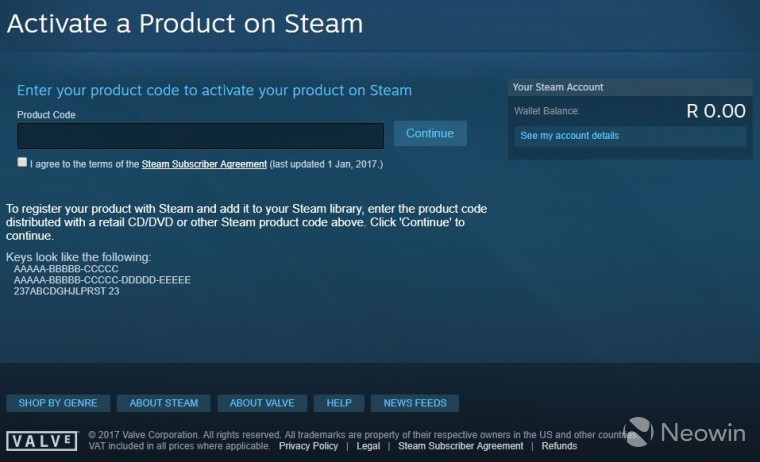
If the code is visible, redeem it slowly and exactly. Copy and paste if you can. If you have to type it, watch for easy mistakes like O and 0, I and 1, B and 8. Use only the official redemption page for that platform. Do not keep testing the same key across different regions or apps. Some systems log repeated invalid attempts and may temporarily block redemption.
If redemption fails, write down the exact error message. “Invalid code,” “already redeemed,” “region restricted,” “requires base game,” and “not available in your country” all point to different problems. The error text is often more useful than the order label.
Finally, give the order one clean review window. For a routine secure payment hold, that may be short. For a first purchase, a higher-risk payment method, or mismatched billing details, it can take longer. During that period, avoid opening multiple tickets, changing your account email over and over, or buying the same product again unless the first order clearly failed or was voided.
If Recovery Fails
If nothing changes after a reasonable review period, move from stabilization to recovery. Start by checking whether the order was split behind the scenes. Some systems create one payment record and a separate fulfillment record. That can make it look like payment succeeded but no product exists, when the actual problem is a fulfillment record that never attached correctly.
Then compare the store order status with your payment provider statement. Four combinations show up often:
Order pending, charge pending: likely still in payment review.
Order cancelled, charge pending: usually a temporary authorization that may fall off.
Order completed, no code: likely a fulfillment or account display issue.
Code delivered, activation failed: likely a product mismatch, region issue, prior redemption, or a defective key.
If the code says already redeemed, stop testing it. Gather evidence right away. Take screenshots of the redemption error, the product page, the order details, and the key display if the store allows it. This is one of the few cases where speed actually matters, because support may need platform logs to confirm prior use.
If the order is still stuck on pending even though the payment is fully posted, check the account itself for verification requests or billing confirmations. Some buyers miss these because they expect everything to arrive by email. A quiet account alert can leave the order frozen until you respond.
If self-recovery stops working, the goal changes. You are no longer trying random fixes. You are preparing a clean handoff: one timeline, one order reference, and one concise description of the issue. Messy reports slow things down. Clean ones usually move faster.
Risk Warnings
The biggest mistake here is moving too fast and making the case harder to sort out. Duplicate orders are common after buyers see “pending” and assume the first payment failed. If both charges eventually clear, you are no longer dealing with one delivery issue. Now you are chasing refunds too.
Another risk is using the wrong redemption environment. A digital key can be completely valid and still fail on the wrong platform or in the wrong region. That is why product selection is not just a shopping detail. It is part of troubleshooting. Buying safely starts with reading the product page carefully before payment, then checking those same details again if the code looks broken.
Be careful with unofficial fixes: browser extensions, third-party code checkers, random account changes, and other shortcuts. None of them can tell you the store's internal order state. Some of them can expose your key or account data. A payment review or activation issue should be handled through the store account, the payment provider, or official support channels.
Also keep in mind that a posted charge does not always mean the merchant has fully settled the order. Banking systems and merchant systems do not update on the same clock. It is frustrating, but normal. Panic tends to create extra problems.
Before You Escalate
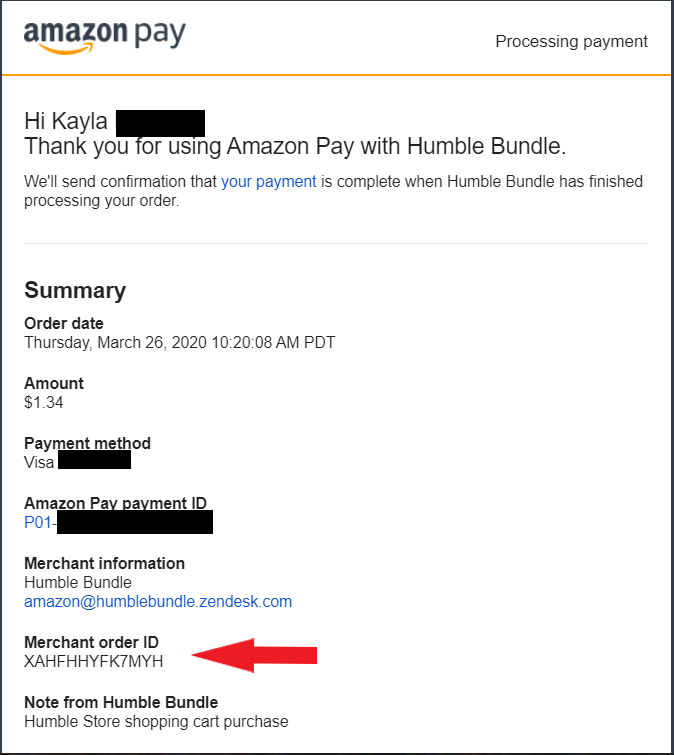
Before contacting support, put together a complete file. Include the order ID, payment method type, transaction time, product name, platform, region, and the exact error message if redemption failed. Add screenshots of the order status, payment status, and code error. If the trouble started after a status change, spell out the sequence clearly: secure payment pending, then completed, then code shown, then invalid at redemption.
Keep the support message short and factual. The best escalation notes do three things: say what you bought, explain what changed, and list what you already checked. That gives support a chance to skip the usual script and move into actual verification.
You should also decide what result you want before sending the ticket. If the key is unavailable, do you want a replacement, the correct regional version, or a refund? If the payment is stuck, are you asking for confirmation that the order is still under review, or for cancellation? Clear requests usually get cleaner answers.
If your payment provider shows a fully settled charge and the store cannot locate the order, include the payment reference. But do not jump straight to a chargeback unless normal support channels are exhausted. A chargeback can lock the merchant relationship and complicate account access while the case is open.
FAQ
Why does my game key order say secure payment pending after I paid?
Usually because the payment was authorized but final merchant approval or fraud review is still underway. Your bank and the seller do not always update at the same speed.
Can a pending charge still disappear without completing the order?
Yes. A pending authorization can fall away if the order is cancelled or never captured. That is why it matters to check whether the charge is pending or fully posted.
My activation code says invalid. Does that always mean the key is bad?
No. It can also mean wrong platform, wrong region, wrong content type, a typing mistake, or redemption through the wrong launcher. Check the product details first.
What if the code says already redeemed?
Stop testing it, take screenshots, and contact support with the exact error. That message needs a proper trace from the seller and, if necessary, from the platform side.
Should I buy the same key again if the first order is stuck?
Only if the first order clearly failed or was cancelled. If it is still pending, buying again can create duplicate charges.
How long should I wait before escalating?
Long enough for one normal review cycle and for the payment status to settle. If the status is frozen, the charge is posted, or the code error is specific and repeatable, it is reasonable to escalate.
Where should I look for the key first?
Start in your account dashboard or order history. Email helps, but the dashboard usually reflects the current order state more accurately.
Bottom Line
Most game key issues feel urgent because digital delivery is supposed to be instant. In practice, the fix is usually procedural. Read the order in order: payment review, account verification, product details, delivery, then redemption. Slow down, check each step properly, and a lot of “code not working” cases become straightforward. A lot of “payment stuck” cases sort themselves out once the review finishes.
The practical lesson is simple. Buying digital goods safely is not just about choosing a seller. It is about knowing what a normal pending-to-success order flow looks like, and spotting the point where it actually breaks. Stabilize first. Document second. Escalate third. That sequence gives you the best chance of turning a worrying order into a usable key without making the situation worse.