

You get all the way to the premium signup page, enter your payment details, and then something breaks. The card is declined. Your wallet option is gone. The page keeps spinning. Or the billing form rejects information that looks perfectly fine. In most cases, that points to the checkout setup around the subscription, not the subscription itself.
The annoying part is that very different problems can produce the same vague error. A failed payment can come from an unsupported payment option, a mismatch between billing country and account region, a bank fraud check, or a wallet session that quietly expired. If you start changing five things at once, you usually end up making the problem harder to pin down.
A better move is to start with the exact symptom, then work through the likely causes in order. That keeps you from piling up duplicate charges, wasting retries, or assuming the platform is broken when the issue is really tied to one payment method.
Symptom Check
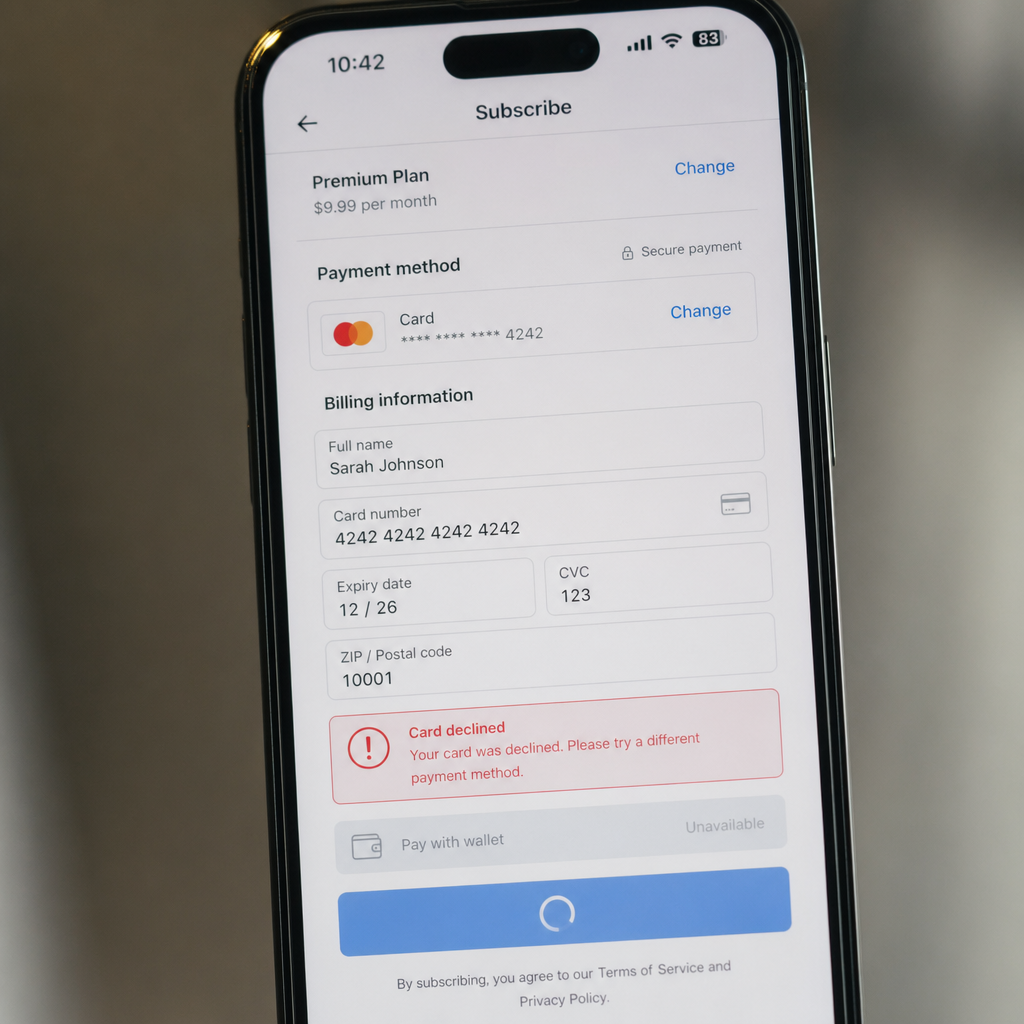
Before trying random fixes, identify the exact failure pattern. That usually tells you which part of checkout is actually failing.
Symptom 1: Your card is declined immediately.
This often points to bank authorization rules, incorrect billing details, spending limits, or a payment option that is not supported in your region. If the decline happens instantly, it is more likely a detail mismatch or unsupported card type. If it takes a few seconds, bank-side verification is a more likely culprit.
Symptom 2: Your wallet option is missing.
If a wallet or card option that normally appears is gone, look at region settings, device or browser compatibility, account currency mismatch, or a temporary change in checkout configuration. Some wallets only appear on certain devices, or only when the billing country matches the wallet profile.
Symptom 3: The checkout page keeps refreshing or spinning.
This usually comes back to the browser, extensions, cookies, or session state. Ad blockers, privacy tools, and strict browser settings can interfere with embedded payment windows without showing a useful error.
Symptom 4: You see an error after entering billing information.
That usually means the payment step loaded, but the details failed address validation, postal code checks, tax rules, or account-region checks. Small formatting differences can be enough to trip it.
Symptom 5: You were charged, but the premium subscription did not activate.
This is not the same as a normal checkout failure. It may be a pending authorization, a delayed activation, or a payment capture that has not fully cleared yet. If you already have a bank notification, do not keep submitting new attempts.
Symptom 6: Only one payment method fails while others work.
That usually means the platform itself is not fully down. The problem is more likely tied to that specific payment method than to the whole checkout system.
What Usually Causes This
Most subscription payment issues trace back to a short list of causes.
Unsupported or limited regional payment options. Not every payment method is available in every country. Some platforms support local cards, selected wallets, or region-specific billing methods only in certain markets. If your account region, store region, and real location do not line up, checkout can fail even if the card or wallet itself is valid.
Billing detail mismatch. The name, postal code, country, CVV, expiration date, and billing address need to match what your card issuer has on file. People often focus on the card number and miss the fact that the ZIP, province, or address format does not match the bank record.
Bank fraud checks and recurring billing rules. A premium subscription is not just a one-off purchase. Some banks treat recurring charges, small test authorizations, or cross-border digital billing more cautiously than ordinary retail transactions. A card can work elsewhere and still fail here.
Wallet session problems. Wallets are convenient until the session state breaks. They depend on login status, device trust, browser compatibility, and active session tokens. If the account is partially signed out or popups are blocked, the wallet option can fail without much explanation.
Browser interference. Cached scripts, disabled cookies, VPN routing, anti-tracking tools, and even password managers can interrupt payment fields. This shows up a lot in embedded checkout forms where you never see the payment processor directly.
Too many rapid retries. Several failed attempts in a short window can trigger temporary security blocks. A simple typo can turn into a card or account lockout if you keep hammering the button.
Fix Sequence
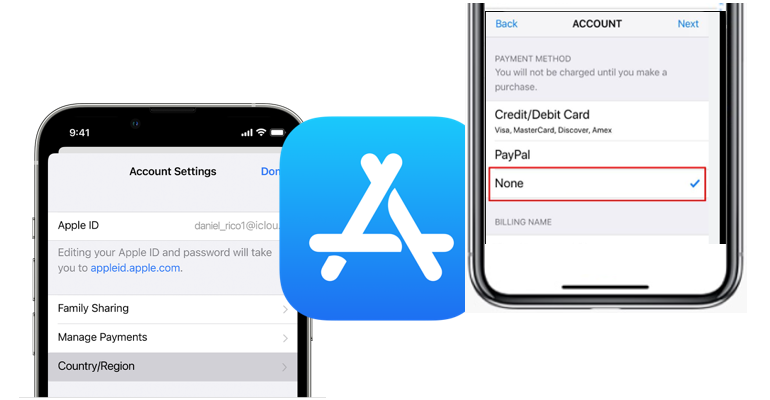
Use this order. It is the safest way to sort out checkout and payment issues without creating duplicate attempts.
Step 1: Stop and check whether any charge is already pending.
Look in your banking app, wallet history, or subscription transaction page. If you see a pending authorization, do not immediately submit the same order again. Pending does not always mean captured, but repeated attempts can create extra holds.
Step 2: Confirm the account region and billing country.
Make sure the subscription account country, checkout currency, and billing address country all match your real payment profile. This is one of the most common reasons a regional payment option disappears or fails.
Step 3: Re-enter billing details manually.
Skip autofill for this pass. Type the cardholder name, number, expiration date, CVV, and billing address exactly as the bank has them. If the address includes apartment numbers or special characters, use the simpler bank-recognized version where possible.
Step 4: Try the same payment method once in a clean session.
Open a private window or switch to another browser with extensions disabled. Make sure cookies and popups are allowed. This is the quickest way to rule out browser-side interference.
Step 5: Switch between card and wallet checkout.
If card checkout fails, try a supported wallet. If the wallet does not appear, try direct card entry. A lot of users waste time forcing one route when another supported option would go through faster.
Step 6: Check whether the payment method supports recurring digital billing.
Some prepaid cards, restricted debit cards, and limited-balance wallets fail on subscriptions even if they work for one-time purchases. If this is a premium plan, make sure the payment option allows recurring charges.
Step 7: Wait 15 to 30 minutes after repeated failures.
If you have already tried several times, pause. Temporary risk controls on the bank side or merchant side often clear after a short cooldown. More retries usually make the situation worse, not better.
Step 8: Contact your bank or wallet provider before blaming the store.
Ask whether they blocked a digital subscription, a foreign merchant category, a recurring payment flag, or a small authorization test. Banks can often tell you the real decline reason right away if you ask specifically.
Step 9: Try a different supported payment method from the same region.
If the platform lists regional payment options, choose one that matches your country and currency. Do not force the transaction with mismatched account settings or made-up billing details.
Step 10: Retry once, then stop.
After correcting details, cleaning the session, and checking with the bank, make one fresh attempt. If it still fails, you have enough information to escalate properly.
Risk Warnings
The biggest risk during checkout troubleshooting is duplicate payment activity. A lagging page can look dead even though the processor already submitted the authorization. Always check transaction status before trying again.
Do not change your billing country to a place where you do not actually live just to unlock different payment options. That can create verification problems later, especially with renewals, refunds, or tax checks.
Be careful with VPNs during checkout. They may be fine for general browsing, but they can trigger fraud checks if the IP region does not match your billing profile. If you are trying to solve a payment problem, turn the VPN off for the purchase attempt.
Avoid changing too many variables in one test. If you switch browser, device, card, wallet, and address format all at once, you will not know what actually fixed it. Controlled retries are slower for a minute and faster overall.
And remember: a pending authorization is not always a completed charge. People understandably panic when the bank notification lands. In digital billing, an authorization can still expire and disappear if activation never finishes.
When Support Is Actually Needed
You do not need support for every failed checkout. A lot of issues are local: wrong billing ZIP, missing wallet session, unsupported payment option, expired browser state, or a bank block. But some cases do need escalation.
Contact platform support if you have a confirmed charge but no premium activation after a reasonable processing window. The same applies if the payment method is listed as supported, your bank says the charge was approved, and checkout still throws an internal error.
Support is also the right next step if your account shows a stuck renewal, disabled payment-method management, or a mismatch between subscription status and billing history. Those are back-end account problems, not ordinary checkout mistakes.
When you do contact support, send the useful details in one message: exact error text, time of attempt, payment method type, country, whether you used card or wallet checkout, and whether the bank sees an authorization or a decline. That usually cuts out a lot of useless back-and-forth.
If your bank says the merchant never even requested authorization, the problem is probably on the checkout side. If the bank confirms a decline reason, support is unlikely to override it. Knowing which side failed matters.
FAQ
Why does my card work for other purchases but not for a digital subscription?
Because subscription billing is often processed as recurring digital merchant activity, and some banks review that more strictly than a standard one-time purchase.
Why is my wallet option missing at checkout?
Usually because of a region mismatch, browser compatibility issue, device limitation, or wallet session problem. It can also disappear temporarily if that payment option is unavailable in your market.
Can I use a prepaid card for a premium subscription?
Sometimes, but not always. Many prepaid cards do not reliably support recurring billing, even if they work for ordinary purchases.
What should I do if I see a pending charge but no subscription activation?
Do not retry right away. Wait for processing, check the subscription status page, and confirm whether the charge is only an authorization hold. If activation still does not follow, contact support with the transaction time and amount.
Is it safe to retry checkout several times?
No. Too many fast retries can trigger temporary security blocks and may create multiple pending authorizations.
Should I switch to another payment method right away?
Only after checking whether the first attempt already created a pending charge. If nothing is pending, trying another supported payment method is often the fastest next move.
Do regional payment options matter that much?
Yes. They are tied to local banking rules, tax settings, currency handling, and fraud screening. A valid card can still fail if the region setup does not match.
Bottom Line
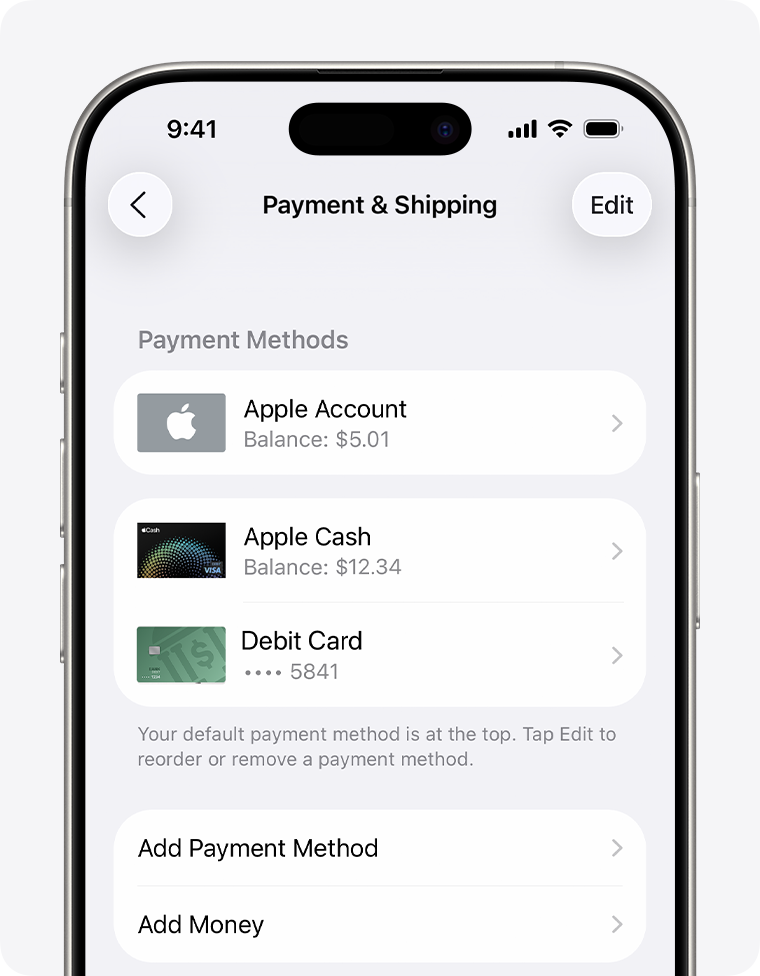
Most subscription checkout failures are less mysterious than they first appear. Start with the symptom you can actually see: a decline, a missing wallet, a spinning page, a billing error, or a pending charge with no activation. From there, the usual causes are pretty familiar: region mismatch, unsupported payment methods, recurring billing restrictions, browser interference, or a bank-side block.
The smart fix is usually not another frantic retry. Check for pending charges, verify your billing profile, test a clean browser session, and move between supported card and wallet options one variable at a time. If the payment was approved and the premium plan still does not activate, that is the point where support actually needs to step in.