

You try to buy FC Points, the checkout opens, and then it stops cold. Maybe the same card worked last week. Maybe your wallet shows a balance but refuses to pay. On console, the message may be vague. In a store app, it may only say the transaction failed.
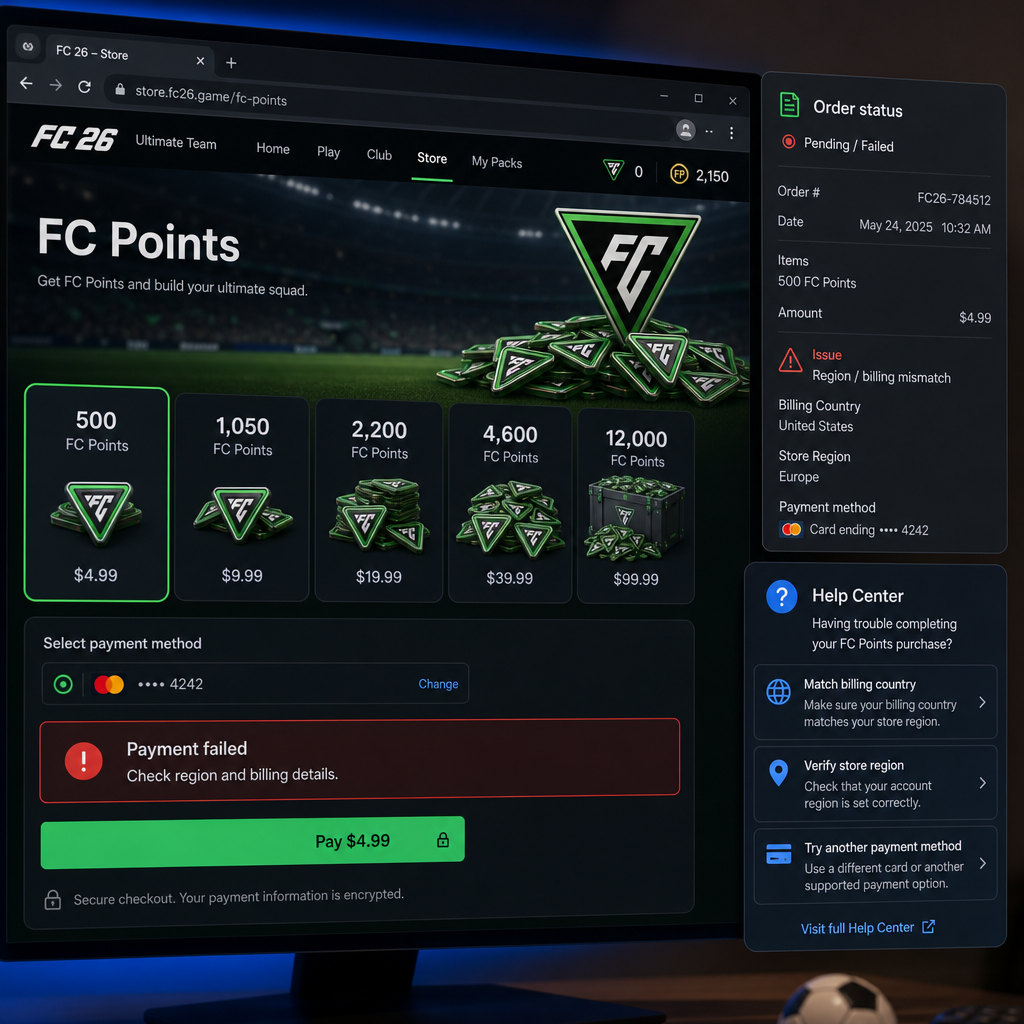
That change matters. FC Points purchases do not depend on one system. Your EA account, platform store, and payment provider all have to agree closely enough for the order to go through. A region mismatch, unsupported payment route, expired billing detail, wallet restriction, fraud check, or bank rule can stop the purchase before the points are added.
The wrong move is to keep pressing buy. A cleaner fix is to steady the account and payment setup first, then make one careful retry. If that fails, you will have a clearer idea of who needs to handle it and what proof to keep.
What Changed
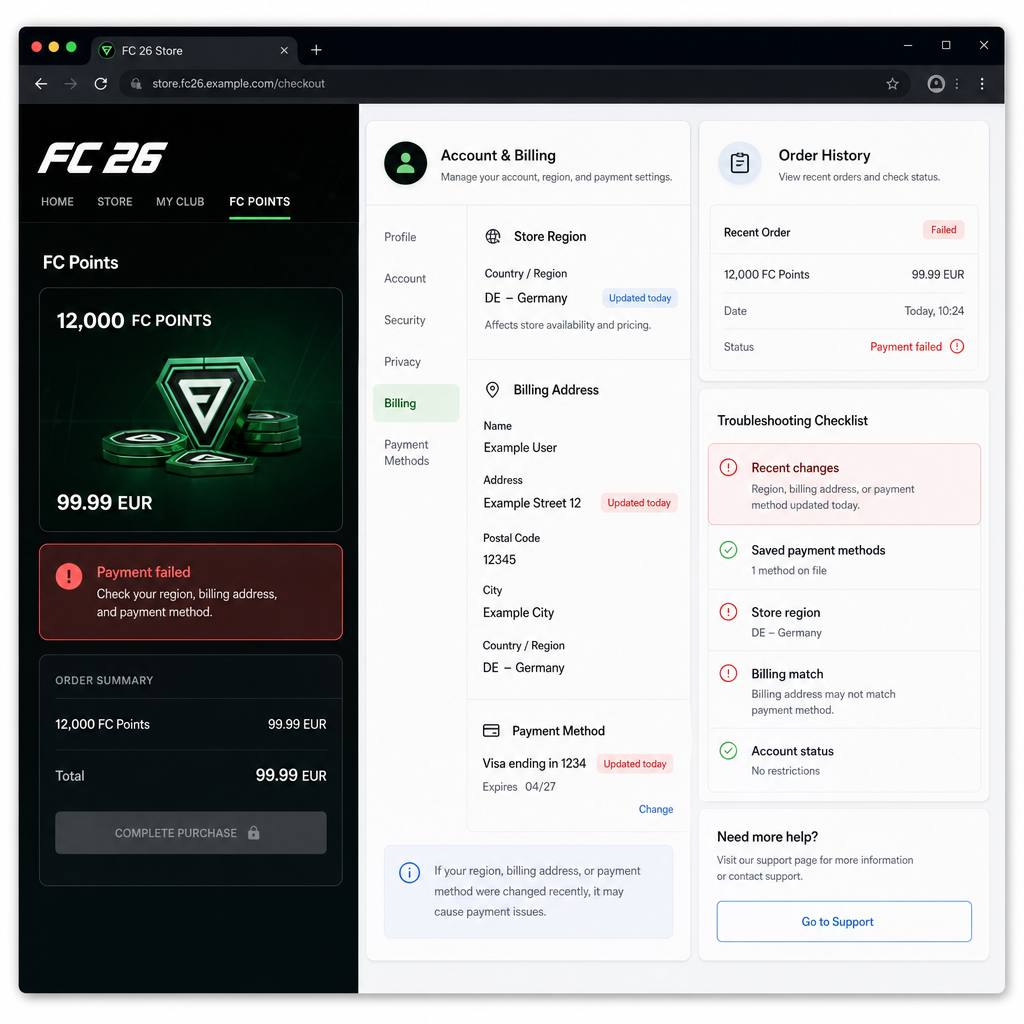
When FC Points payment errors start appearing in FC 26, look for recent changes first. A new console, a move to another country, a replacement bank card, a new phone wallet, a VPN session, or a store region change can all affect checkout. Your game account may look fine while the billing system treats the purchase as unusual.
Region is a common culprit. FC Points are bought through the platform or storefront tied to your account. If your EA account, console account, store region, billing address, and card country point in different directions, the store may reject the order. The wording changes by platform: payment failed, billing declined, checkout error, bank rejected payment. The root cause can be the same.
The payment method matters too. Credit cards, debit cards, prepaid cards, platform wallet funds, gift card balances, PayPal-style wallets, mobile billing, and local payment services are not accepted equally in every region. Some can buy full games but fail on in-game currency. Others work from the console store but fail inside the game menu.
Timing can make it worse. Around launch periods, Ultimate Team events, promotions, or heavy store traffic, fraud checks may be stricter and order processing may slow down. Several rapid attempts can look suspicious to a bank or platform. If one payment fails, pause. Five more tries rarely improve the situation.
Start by noting where the error appears. If it happens before the platform checkout opens, the issue may sit with the game store or account state. If checkout loads and the card is declined, the bank, wallet, billing address, or regional payment rule is more likely involved. If money leaves the account but no FC Points arrive, treat it as a delivery problem, not a normal decline.
How to Stabilize the Issue
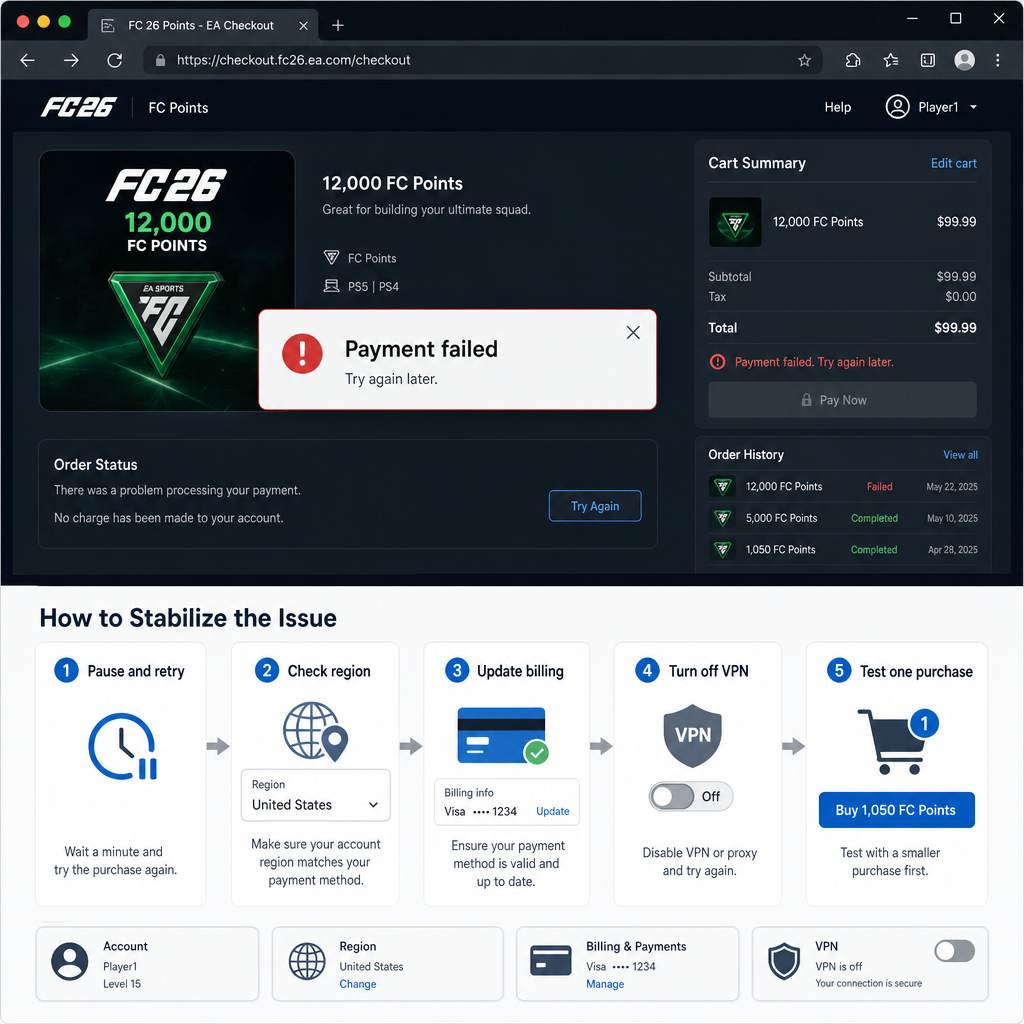
First, stop retrying for a short while. It sounds dull, but it prevents duplicate authorization holds and lowers the chance of stricter fraud controls. If you have already made several attempts, wait at least 15 to 30 minutes. Pending holds in a banking app are not proof of a completed purchase. They can drop off automatically if the store never finished the order.
Then check the region chain. Look at the country or region on your platform account, the storefront you are using, your EA account profile, your billing address, and the issuing country of your card or wallet. These do not have to match in every possible setup, but big inconsistencies are a classic reason for a declined billing result. A card from one country, a console store set to another, and a temporary network location in a third is asking for trouble.
Turn off VPNs, proxy tools, DNS routing services, and travel network settings before buying. Even if you use them for privacy or latency, payment systems may read them as location inconsistency. Use a stable home network or a trusted mobile network, then restart the game and platform store before the next attempt.
Update the payment method instead of merely selecting it again. Remove expired cards, fix the billing address spelling, confirm the postal code format, and check whether the card supports online and international digital purchases if that applies. Some banks block gaming currency purchases by default, especially on new cards or youth accounts. If your banking app shows a rejected-payment alert, start with the bank.
If a wallet payment failed, check the wallet’s funding source and limits. A wallet can show enough balance and still fail because the transaction needs a verified backup method, tax calculation, age permission, regional approval, or currency conversion. Platform wallet balances are also usually locked to a region. Store credit bought for one country usually cannot be used freely in another country’s store.
You can change the purchase path, but keep it controlled. If buying inside FC 26 fails, try the official platform store interface on the same account. If console checkout fails, the platform mobile app or desktop store may work, but only if it is clearly the same account and region. Do not hop between regional stores or alternate accounts to force a cheaper price. That can create entitlement problems and account risk.
For card payments, use this practical sequence: wait, restart the game and platform store, confirm the signed-in account, remove and re-add the card, verify the billing address, disable VPN tools, then try one smaller FC Points pack. A smaller pack can show whether a spending limit or risk threshold is involved. If it works, wait a few minutes before buying again.
For wallet payments, the sequence is a little different: confirm the wallet balance and region, check whether tax or fees push the total above the available amount, verify any required backup payment method, restart the store session, then try once. If the wallet was funded by a gift card, make sure the gift card region matches the storefront.
Also check whether the platform is having store or payment problems. You do not need to chase every outage report, but if many players are seeing checkout errors at the same time, waiting is smarter than changing every setting on your account. Temporary billing failures often clear without any action from you.
If Recovery Fails
If the purchase still fails after one clean retry, sort it into one of three buckets: declined before charge, charged but no points, or account/store mismatch. Each one has a different next step.
If the transaction is declined before any charge, the card issuer, wallet provider, or platform billing system blocked it. Look for bank messages such as suspected fraud, online transactions disabled, insufficient funds, spending limit reached, incorrect security code, or merchant category blocked. In that case, EA may not be able to see much, because EA may never receive a completed order. The payment provider or platform store needs to explain why the authorization failed.
If money was charged or is pending but FC Points did not arrive, do not buy again immediately. Restart FC 26, confirm you are on the correct account, and give the entitlement time to sync. Digital currency purchases can lag during busy store periods. If the charge posts permanently and the points are still missing, gather the order number, platform account ID, purchase time, FC Points pack size, and a screenshot of the store receipt. This is where good evidence matters.
If the issue looks like a region mismatch, do not try to brute-force it with random address changes. Changing account region, billing country, or storefront location can affect prices, currency, taxes, payment methods, and content rights. Identify the region you legitimately use, then align a valid payment method with that region. If you recently moved countries, platform support may need to tell you what can and cannot transfer.
Account restrictions can also block purchases. Child or teen accounts, family-managed wallets, spending caps, privacy settings, chargeback history, and unusual purchase patterns may all stop FC Points orders. The error may not mention FC 26. Stores often hide the exact reason and show a generic checkout or billing error instead.
Risk Warnings
Do not use third-party top-up sellers that ask for your EA login, console login, backup codes, or remote access. A failed official payment is annoying. Handing over account access is worse. FC Points are tied to account entitlements and platform rules. If a seller uses stolen cards, region abuse, chargebacks, or account sharing, your account can be restricted even if the points appear at first.
Be careful with VPN-based region switching. It may look like a shortcut around a regional payment problem, but it often creates the exact mismatch that blocks checkout. It can also make later support harder because your purchase history may show inconsistent countries, currencies, and IP locations.
Avoid repeated rapid retries. Multiple failed attempts can trigger temporary bank locks, duplicate pending holds, and platform risk flags. If you already tried several payment methods in a short period, step away and let the systems settle before trying again. Payment systems are not gameplay menus. Pressing the same button over and over is rarely useful.
Do not dispute a charge while also asking for missing FC Points unless you understand the consequences. Chargebacks can lead to store restrictions or account limitations. If the order completed but the currency is missing, use the normal support route first with receipts and timestamps. A payment dispute should be a last resort for a posted charge that the merchant or platform cannot resolve.
Prepaid and virtual cards can be unreliable for FC Points. Some work fine. Others are blocked for digital currency, recurring merchant checks, cross-border transactions, or verification rules. If a prepaid card gets a billing declined message, test with a mainstream card or a properly funded platform wallet where available.
Before You Escalate
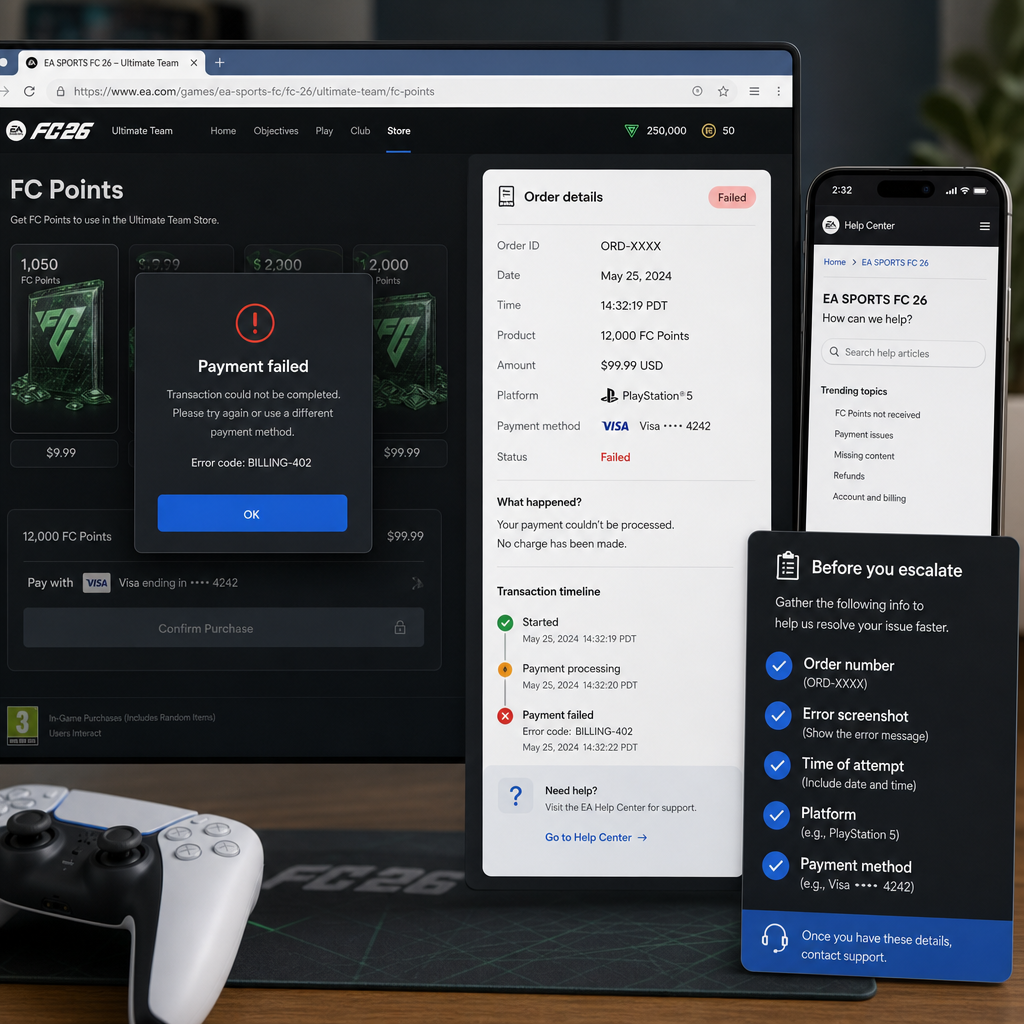
Before contacting support, prepare a short, clean summary. Support teams move faster when they can see the exact pattern instead of a general complaint. Write down the platform, account region, payment method type, store region, FC Points pack size, exact error wording, attempt time, and whether any charge appeared on the payment account.
Take screenshots, but protect sensitive details. Capture the checkout error and receipt if you have one. Do not share full card numbers, security codes, bank passwords, one-time codes, or recovery codes. Support should not need payment credentials to investigate a currency delivery issue.
If the bank rejected the payment, ask whether the merchant authorization was blocked and why. Use plain wording: digital game currency purchase, online merchant, platform store, and the approximate time. If the bank says it approved the authorization but the store failed, platform support is the next stop. If the bank says it blocked the transaction, fix that side before returning to FC 26.
If a platform wallet payment failed, contact platform store support rather than only the game publisher. Wallet balance, gift card region, tax calculation, and payment authorization are usually controlled by the platform. EA or the game may only see whether the entitlement was delivered after the platform order completed.
If you have a completed order but no FC Points, include proof of purchase and account identity in the escalation. Make sure the receipt belongs to the same platform account used to play FC 26. Many missing-currency cases turn out to be purchases made on a secondary console profile, the wrong regional account, or an old account still signed into the store app.
FAQ
Why does FC 26 say payment failed when my card has money?
Available balance is only one requirement. The bank may block digital currency purchases, international transactions, suspicious activity, or certain merchant categories. The store can also reject the payment because of a region mismatch, incorrect billing address, expired card data, or repeated failed attempts.
Why did my wallet payment fail even though I have enough balance?
Wallets can fail because the balance is tied to a different region, tax pushes the total above the available amount, a backup payment method is required, or the account has spending restrictions. Some wallet funds can buy games but still hit limits on in-game currency.
Can I buy FC Points from another region if my local payment method fails?
That is risky and often makes the problem worse. Store region, account country, payment method country, and currency rules are connected. Using another region to bypass a billing error can trigger checkout blocks, entitlement problems, or account review.
What should I do if I was charged but did not receive FC Points?
Do not buy again right away. Restart the game, confirm the correct account, and wait for the order to sync. If the charge posts and the points still do not appear, collect the receipt, order number, time, platform, and pack size before contacting the relevant support team.
Is a checkout error caused by EA or by my platform store?
It depends on where the failure happens. If the platform checkout loads and the payment is declined, the platform store or payment provider is usually involved. If the order completed but FC Points did not arrive in FC 26, it may be an entitlement delivery issue that needs proof of purchase.
Will trying a smaller FC Points pack help?
Sometimes. A smaller pack can avoid spending limits or risk thresholds and confirm whether the payment route works. Try this only after checking region, billing details, and payment restrictions. If the smaller purchase also fails, stop retrying.
Bottom Line
FC 26 FC Points payment failures usually come down to alignment. Account region, store region, billing address, payment method country, wallet rules, and bank authorization all need to make sense together. Treat the first failure as a warning to clean up the setup, not as an invitation to spam checkout.
The safest recovery is simple: pause, verify the account and region chain, correct billing details, remove VPN variables, test one supported payment route, and keep receipts if money leaves the account. If it still fails, send the issue to the right place: the bank for rejected authorization, the platform for wallet or store billing, and game support for completed orders that did not deliver FC Points.
Most billing errors can be fixed. The shortcuts are where players get burned. Stay on the official store path, keep the payment history clean, and make the next attempt only after the setup is stable.