

You open YoHo to top up, get to the recharge screen, and something is off. The payment method you expected is missing. Your wallet refuses to connect. Your card looks fine, then fails right at the end. Sometimes you get a vague payment error. Sometimes the top-up starts and never finishes.
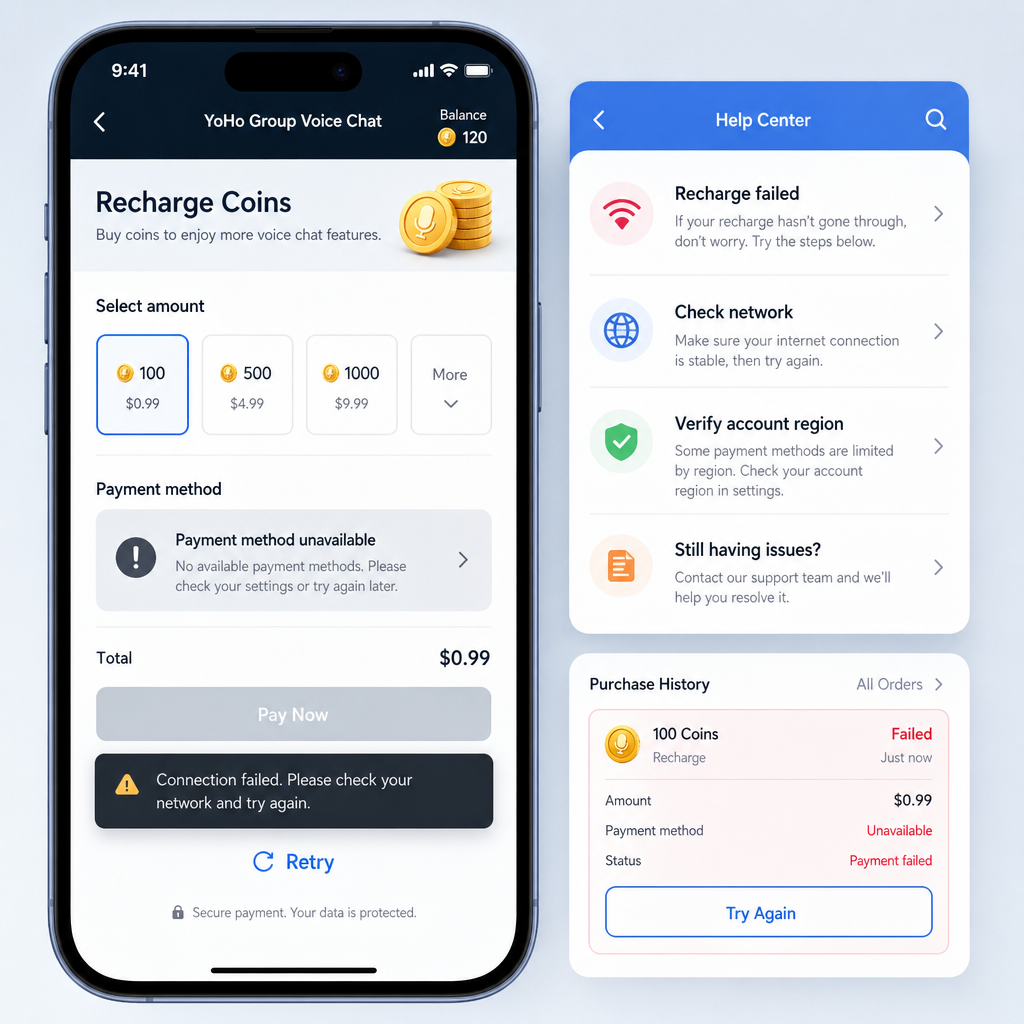
Usually, this is not random. The problem is more often a setup mismatch: region restrictions, a wallet that is signed in but not fully verified, card checks from the issuer, app-store billing conflicts, or account details that do not line up with the payment method you are trying to use.
The worst move is to keep hammering the pay button. Repeated attempts can trigger fraud checks, temporary holds, or duplicate pending charges. It is better to identify the symptom first, narrow the cause, and work through the setup in order.
Here is the clean troubleshooting sequence for YoHo payment method, wallet, and card setup during recharge, along with the failure points that actually matter.
Symptom Check
Start by matching your problem to the closest symptom. That saves time and keeps you from changing settings that have nothing to do with the real issue.
The payment method list is blank or incomplete.
You open the recharge page and do not see the wallet or card option you expected. Sometimes only one billing option appears, even though your device normally supports more than one.
Your card is added, but payment fails immediately.
The app accepts the card details, or the app store already has your card saved, but the recharge is declined right away. That often points to bank verification, a billing address mismatch, spending limits, or a temporary fraud block.
The wallet option appears, but it will not connect.
You tap the wallet payment method, but the authorization does not complete, the sign-in loop repeats, or the app returns to the recharge page without confirming setup.
The recharge spins, then shows pending or unsuccessful.
This usually means the payment request was created, but confirmation did not return properly. Network interruptions, app-switching issues, or payment processor delays are common here.
You were charged, but the in-app balance did not update.
This is less a setup issue than a confirmation issue. It still matters, because people often assume the wallet or card setup failed when the payment actually went through and the crediting step stalled.
The app says the payment method is unavailable in your region.
This is one of the simpler cases. Not every payment method is offered in every country, and some options are shown or hidden based on your store region, phone settings, and billing profile.
What Usually Causes This
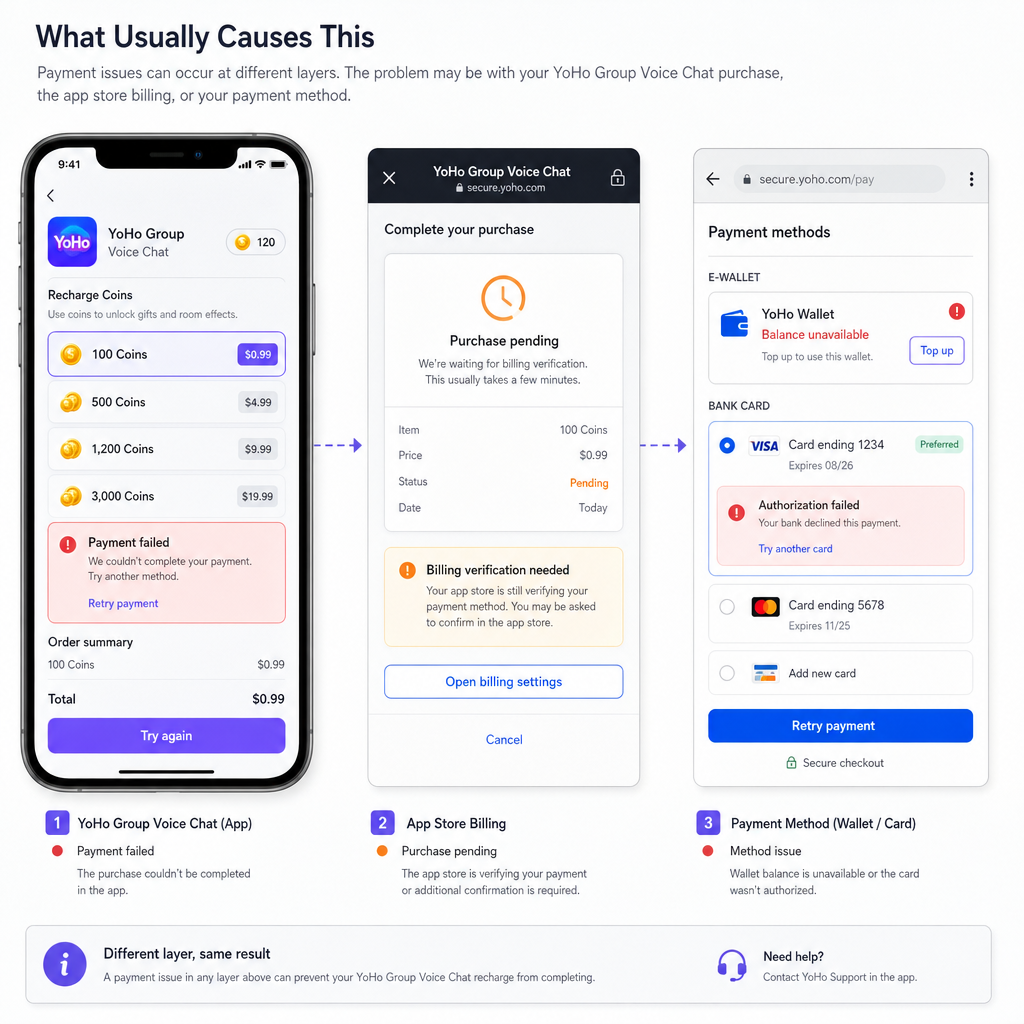
Most YoHo recharge problems come from configuration mismatches, not a full outage. The app can only show and process payment methods available through your device, store, payment processor, and account region.
Store billing takes priority. On many devices, in-app recharge options run through the platform billing system. If your Apple ID or Google account has outdated billing information, restricted purchase settings, or an unresolved past charge, YoHo may not be able to complete the recharge even if the app itself is working fine.
Your wallet is not fully verified. A wallet can appear installed and signed in, then fail at the moment of payment. Missing identity verification, an unconfirmed phone number, expired security checks, or insufficient balance can all block the transaction.
Your card issuer is blocking the purchase. Digital top-up transactions can trip bank security systems, especially if this is your first recharge, the amount is unusual, or the merchant category looks risky from the bank's side.
Region and currency settings do not match. If your app account region, app-store region, and payment profile country do not line up, some payment methods may disappear or decline during confirmation.
The app session is stale. Old cached payment data, an outdated app version, or a failed login token can interrupt wallet authorization or stop the final crediting step after a successful charge.
You are retrying too fast. This is more common than it sounds. Several failed attempts in a short window can make a bank or payment processor treat later retries as suspicious.
Fix Sequence
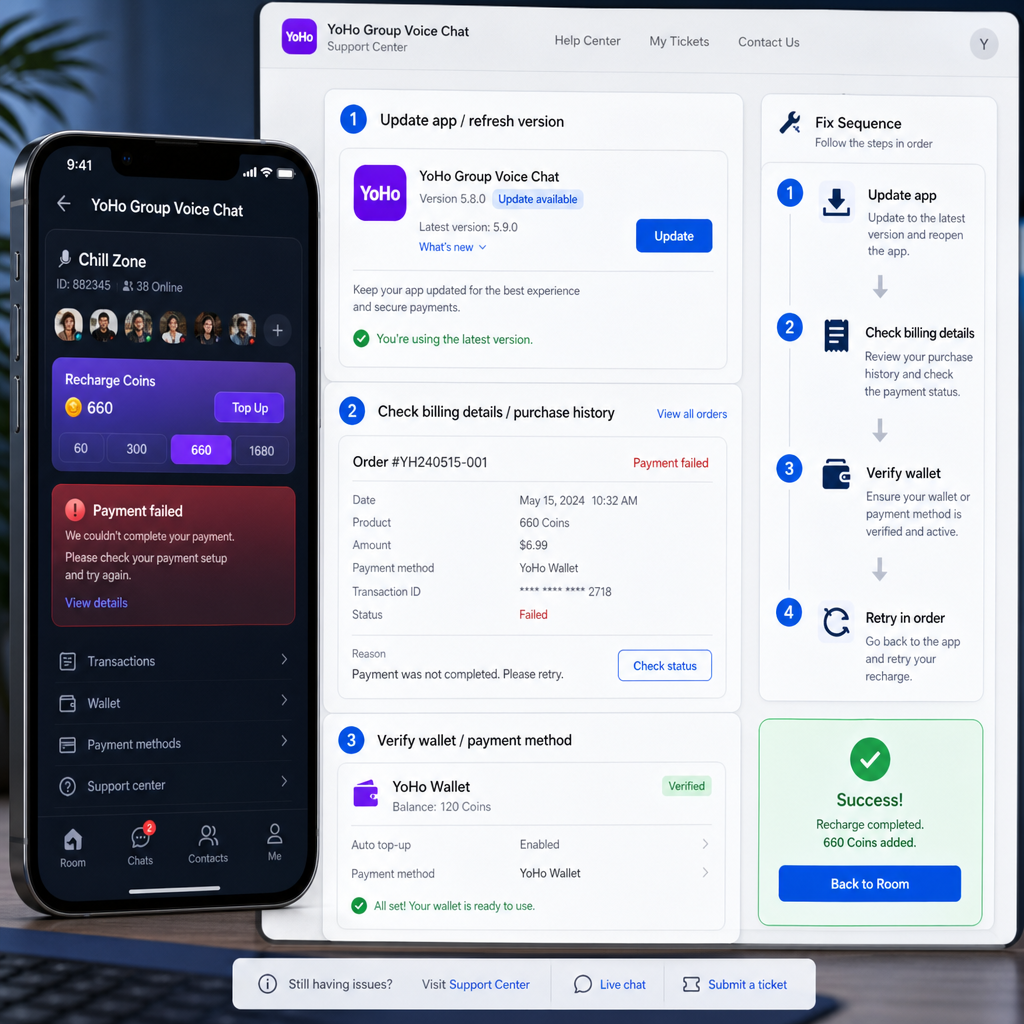
Use this order for fixing YoHo payment method, wallet, or card setup problems during recharge. Do not jump around unless you already know exactly where the failure is.
1. Confirm what kind of payment path YoHo is using on your device.
Open the recharge page and note whether the app is asking you to pay through your device store billing or through a wallet or card flow inside the app. This matters because the fix depends on the route. If checkout is store-based, changing card details inside YoHo will not do much. You need to update the billing setup tied to your device account.
2. Update the app before touching payment settings.
Make sure YoHo - Group Voice Chat is on the latest version. Payment modules are often updated quietly. An older build can cause broken wallet authorization, unsupported billing prompts, or failed recharge confirmation even when your card is valid.
3. Check your device account billing profile.
Review the payment methods saved to your Apple ID or Google account if your recharge is routed that way. Remove expired cards, update the billing address, and confirm there are no warnings about unpaid purchases. A surprising number of failed recharges come from unresolved platform billing issues rather than YoHo itself.
4. Rebuild the payment method instead of endlessly editing it.
If your card keeps failing, delete the old saved version if possible and add it again cleanly. Enter the name, card number, expiry date, security code, and billing address exactly as your bank has them. Small mismatches can cause repeat declines.
5. Verify wallet readiness before reconnecting.
If you want to use a wallet, open that wallet app separately first. Make sure you are logged in, the account is verified, and the wallet has enough balance or a valid funding source. Then return to YoHo and try the recharge again. If the wallet app itself is asking for identity confirmation, finish that first.
6. Match country, currency, and phone settings.
Check whether your store region, billing country, and phone number country code are aligned. If one profile is set to a different market, YoHo may hide a payment method or throw a generic recharge failure. This is especially common for people who moved countries or changed app-store regions recently.
7. Switch networks once.
If the recharge keeps spinning or wallet authorization returns blank, change from mobile data to stable Wi-Fi, or the other way around, and retry once. Payment handoff screens can fail on unstable networks, VPN connections, or aggressive private DNS settings.
8. Turn off VPN and app-level blockers.
VPNs, ad blockers, firewall apps, and strict privacy filters sometimes interfere with payment authorization windows. Disable them temporarily, relaunch YoHo, and test again.
9. Wait 15 to 30 minutes after multiple failed attempts.
If you have already retried several times, stop. Give the bank or processor time to clear any temporary security flag. Then make one clean attempt with the correct payment method. Rapid retries often make things worse.
10. Try a small recharge first.
If YoHo offers different top-up amounts, test with a smaller recharge before a larger one. Smaller transactions are sometimes more likely to pass an issuer's risk screening with a new merchant relationship.
11. Check for pending charges before trying a different card.
Look at your bank app, wallet history, or store purchase history. If you already see a pending authorization, do not stack more attempts on top of it. Wait for the first one to settle or fail before changing payment methods.
12. Restart the app and sign in again if the charge went through but your balance did not update.
Log out only if you can safely log back in. Then reopen YoHo and check the wallet or balance page. Sometimes the recharge succeeds but the app session does not refresh right away.
13. Keep a record of the attempt.
Note the time, amount, payment method used, and any error message. If support becomes necessary, that will help more than a screenshot of a generic failure page by itself.
Risk Warnings
Payment troubleshooting usually goes sideways when people get impatient. A few risks are worth taking seriously.
Do not keep retrying the same failed card nonstop. Banks can read rapid repeats as suspicious activity. That may lead to temporary card blocks or extra verification steps.
Do not mix too many variables at once. If you update the app, switch networks, add a new card, and change your region settings all in one sitting, you will not know what actually fixed it. Make one meaningful change at a time.
Watch for duplicate pending charges. A failed recharge message does not always mean the payment request never reached the processor. Check transaction history before trying again.
Use only payment methods you control directly. Shared cards, borrowed wallet accounts, or mismatched billing identities can trigger verification problems and make refunds much harder to untangle.
Be careful with region workarounds. Forcing a different store region or using tools that mask your location may make payment methods appear temporarily, but it can also create bigger account and billing inconsistencies later.
When Support Is Actually Needed
You do not need support for every failed recharge. Most setup issues can be fixed by correcting the payment method, wallet verification, or store billing profile. But a few cases do justify contacting support.
You were charged and never credited. If the payment is completed or stays pending too long while your YoHo balance remains unchanged, gather the transaction ID, amount, time, and account details.
The same error appears after the full fix sequence.
If you updated the app, corrected billing details, verified the wallet, waited after failed attempts, and still get the same result, there may be an account-specific block or a temporary processor issue.
Your payment method disappeared after a region or account change.
Support may be needed to confirm whether that payment method is still supported for your current market setup.
Your account shows unusual payment behavior.
If recharge options vanish suddenly, every method fails instantly, or purchases are restricted without a clear billing warning, it may point to account review or risk controls that only support can confirm.
When you do contact support, keep it tight. Include your YoHo account identifier, device type, app version, payment method type, exact amount, time of attempt, and the visible error text. That usually cuts down the back-and-forth.
FAQ
Why is my YoHo recharge payment method not showing up?
Usually because of store region limits, unsupported local billing options, outdated app data, or a mismatch between your device billing account and your current country settings.
Can I use a wallet instead of a card for YoHo recharge?
That depends on which payment methods are available on your device and in your region. If the wallet option appears, make sure the wallet account is verified and funded before retrying.
Why does my card work elsewhere but fail in YoHo - Group Voice Chat?
Your bank may be blocking this specific digital transaction type, or your billing details may not match exactly. It can also happen if your app-store billing profile has an unresolved issue.
What should I do if I was charged but did not receive the recharge?
Check whether the charge is pending or completed, restart YoHo, and review your in-app balance again. If the credit still does not appear, keep the transaction record and contact support with the payment details.
Is it safe to retry the recharge several times?
No. A couple of attempts is enough. After that, stop and review the setup. Too many rapid retries can create duplicate holds or trigger fraud checks.
Do I need to remove and re-add my card?
If the saved card keeps failing and the details may be outdated, yes. Re-adding the card cleanly often works better than repeatedly editing an old entry.
Can VPN use break wallet or card setup?
Yes, sometimes. VPNs and privacy filters can interfere with payment authorization, wallet handoff screens, or region-based payment availability.
Bottom Line
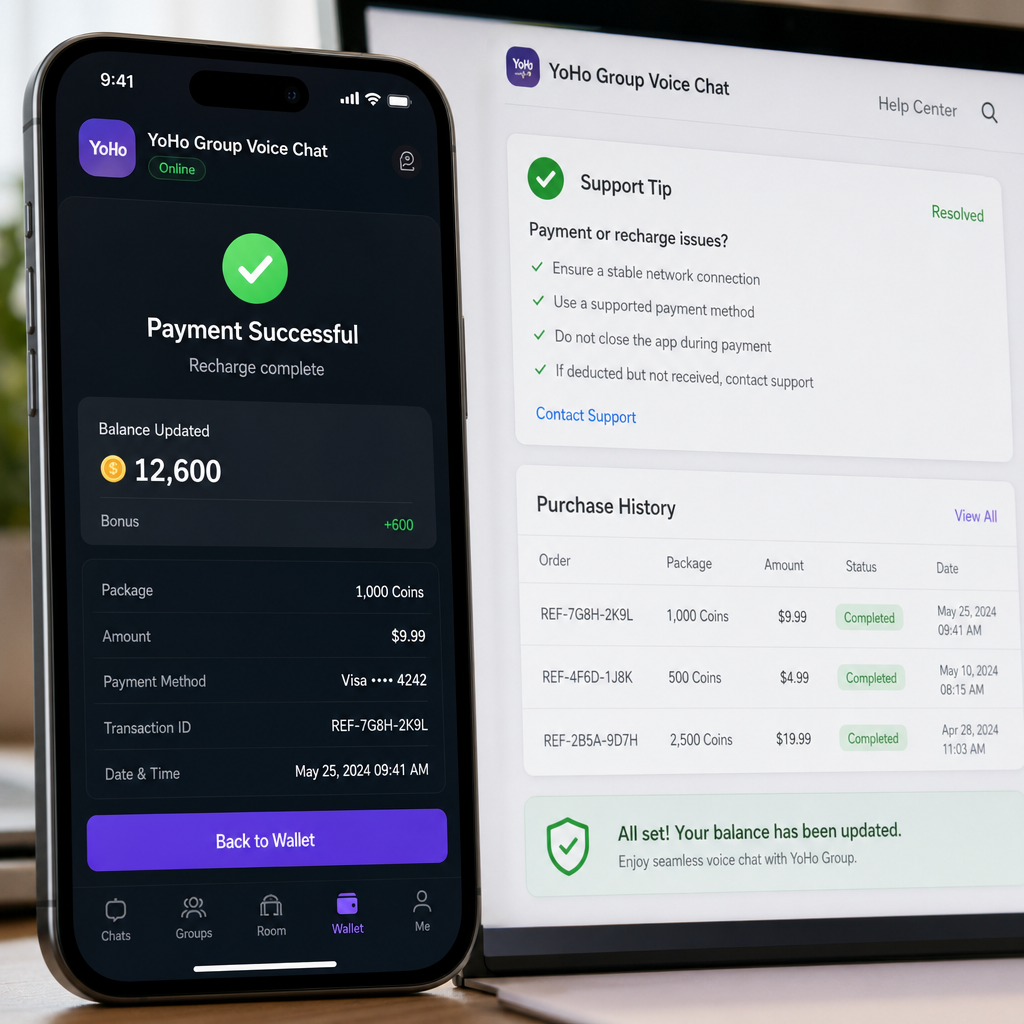
Most YoHo recharge problems are fairly ordinary once you strip away the vague error messages. The payment method is either unavailable for your current setup, not fully verified, or being blocked by store billing, wallet checks, or the card issuer.
The practical fix is to stop guessing and work in order: confirm the payment route, clean up billing details, verify the wallet or card, avoid repeated retries, and check for pending charges before doing anything else. That approach is less dramatic, but it saves time, reduces duplicate holds, and keeps a simple billing problem from turning into a bigger mess.