

You get all the way to checkout, add the gift card, and then payment falls apart. Maybe the billing section rejects details that should be correct. Maybe the order spins, throws a vague error, or drops you back into checkout without finishing. At that point, random retries usually make the problem worse.
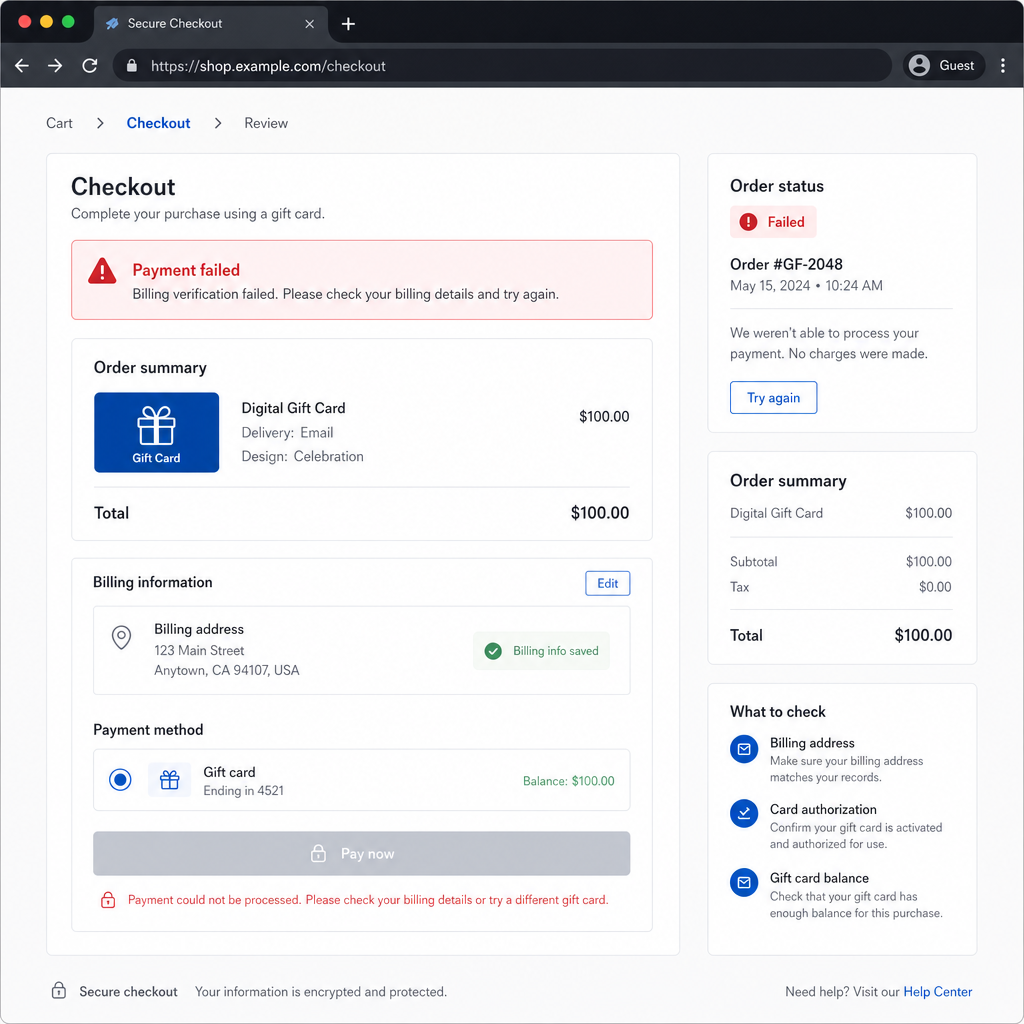
Gift card purchases tend to get screened harder than ordinary digital orders. A valid card can still fail because the billing profile does not match exactly, the bank blocks the transaction, the browser session is broken, the region does not line up, or repeated attempts trigger fraud checks. The annoying part is that these problems often look identical from the front end.
The best move is to work through the likely causes in order. Start with the fixes that solve the biggest share of cases, and hold off on bigger changes until you know they are necessary.
Root Cause Matrix
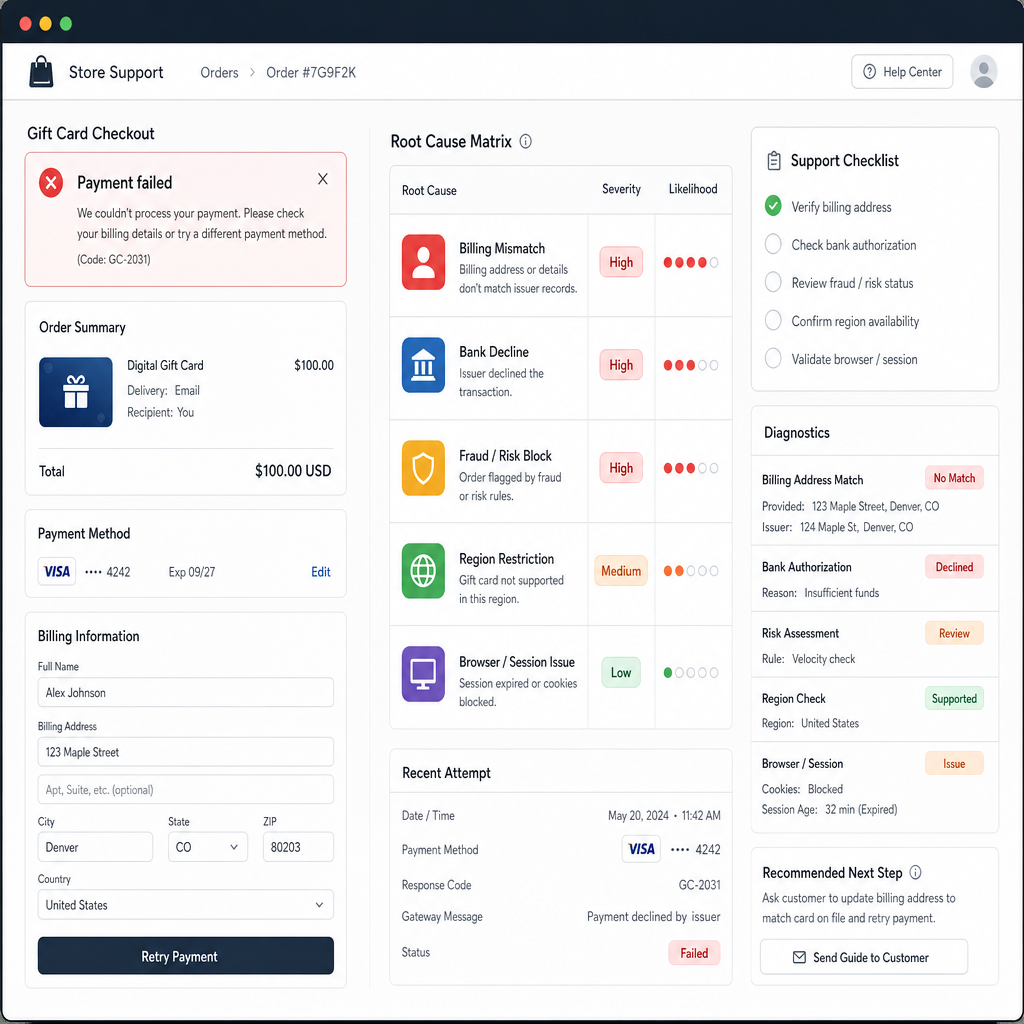
Before changing things, sort the problem into the most likely bucket. Most gift card checkout and billing failures fall into one of these groups.
Billing mismatch: Your card is valid, but the billing name, address, postal code, or phone format does not match what your bank has on file. This is one of the most common reasons payment fails.
Insufficient available funds: The balance may look high enough, but temporary holds from earlier attempts can reduce what is actually available. This shows up a lot after several retries.
Bank-side decline: Some issuers block digital gift card purchases, cross-border charges, repeat attempts, or anything that looks unusual. The checkout page may only show a vague billing error.
Store-side fraud screening: Rapid retries, mismatched country settings, VPN use, unusual device fingerprints, or too many payment methods added in a short stretch can get the transaction blocked even if the card itself is fine.
Browser or session problem: Cached checkout data, expired sessions, disabled scripts, ad blockers, or bad autofill can break checkout without saying so clearly.
Product or regional restriction: Some gift cards are sold only in certain regions, currencies, or account markets. A redeem code can also be tied to a specific storefront even if you can reach the payment page.
Temporary platform outage: Payment gateways, issuer verification tools, and checkout services do fail from time to time. If everything looks right but no payment method works, a short-term outage becomes more likely.
Step-by-Step Troubleshooting
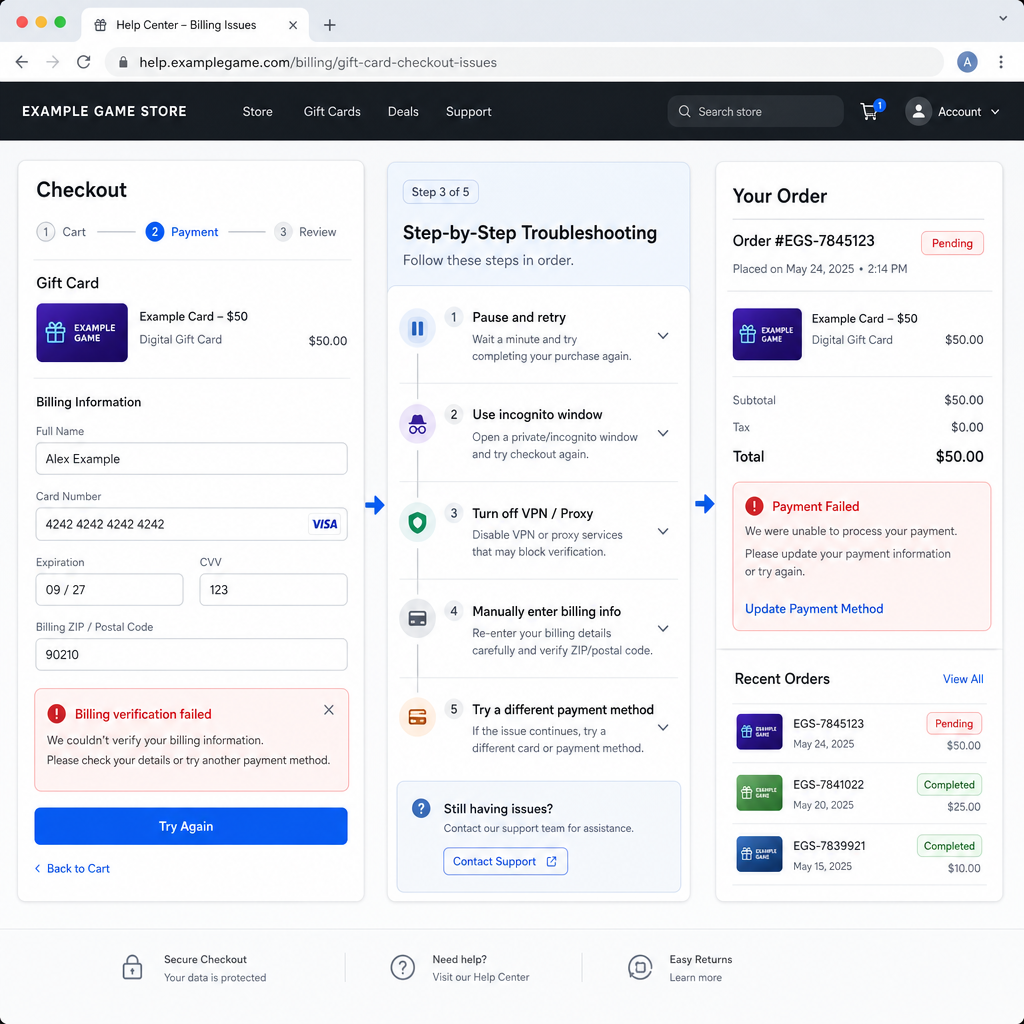
1. Stop retrying for five to ten minutes. This matters more than people think. Repeated attempts can stack authorization holds and trip fraud filters. If you already submitted the same payment several times, pause first.
2. Confirm whether an order was created. Check order history, email, spam, and any in-app purchase status page. Sometimes the front end fails after payment authorization already happened. If you see a pending order, do not submit another one yet.
3. Re-enter billing details manually. This is the highest-probability fix. Ignore autofill. Enter the cardholder name exactly as your bank records it. Match the street line, postal code, state or province, and phone number format. Small mismatches are enough to kill checkout.
4. Make sure the store region matches your payment profile. If your account country, store currency, and card billing country do not line up, the transaction may fail. This happens often with gift cards meant for a different market. Check region settings before trying again.
5. Verify available funds, not just the balance. If you are using debit or prepaid, earlier failed attempts may have placed temporary holds. Your bank app can show enough balance while the available amount is lower. Also leave room for tax or currency conversion.
6. Remove VPN, proxy, and aggressive blockers. For digital goods, location consistency counts. Turn off VPN services, custom DNS tools that alter routing, and extensions that interfere with scripts or payment pop-ups. Then reload checkout in a clean session.
7. Try a private window or a different browser. Open an incognito or private session and sign in again. If that fails, try another browser on the same device. This helps isolate stale cookies, broken session tokens, cache issues, and extension conflicts.
8. Switch devices, but keep the same network first. Move from desktop to mobile or the other way around while staying on your normal home network. If payment works on another device, the problem is probably local to the browser or session. If it still fails, look harder at account, billing, or bank issues.
9. Use one stable payment method only. Do not cycle through several cards in quick succession. Pick the payment method most likely to pass issuer checks and try it once after fixing the billing details. Too many failed payment attempts can raise the fraud score.
10. Check whether your bank is blocking the merchant category. Some issuers treat gift card purchases as high-risk or quasi-cash. Check the bank app or call and ask whether they blocked the transaction, whether one-time approval is needed, and whether digital or international online purchases are enabled.
11. Look for 3D Secure or verification prompts. Some checkouts open a bank verification step in a pop-up or embedded frame. If the browser blocks it, payment can fail without much explanation. Allow the prompt and complete verification if asked.
12. Reduce inconsistency in account details. If the account profile name is very different from the billing name, or saved addresses conflict with each other, clean that up. You do not need to overhaul everything, but obvious mismatches can trigger review.
13. Wait out temporary risk flags. If you have made a lot of attempts today, time may be the real fix. Wait a few hours, then try once with corrected billing details, no VPN, and a clean browser session.
14. Test with a small, ordinary digital purchase only if the platform allows it. This is not about spending just to experiment. It is a way to see whether the failure is specific to gift cards or affects checkout in general. If a low-value normal purchase works but the gift card does not, that points toward a product rule or fraud screen.
15. Review tax, currency, and final total carefully. Sometimes the listed gift card price is not the issue. Tax, conversion, or service fees can push the final amount over your limit. Check the actual charge total before trying again.
If Still Not Resolved
If checkout still fails, narrow the issue instead of hammering the same button again. Ask three practical questions.
First, does every payment method fail, or just one? If only one card fails, the bank or billing profile is still the main suspect. If multiple payment methods fail on the same account, look harder at account region, fraud screening, or a platform-side problem.
Second, does the same payment method work elsewhere? If the card works fine for normal online purchases but not here, merchant category rules, regional mismatch, or store-side anti-fraud checks are more likely than a dead card.
Third, did anything change recently? A new device, travel, an account country change, VPN use, an expired card, a billing address update, or too many purchase attempts can all explain a sudden failure.
At this point, the smart move is usually to stop making new attempts until you either confirm the bank decline reason or gather enough evidence for official support. More retries mostly create noise, extra holds, and a messier timeline.
Risk Warnings
Do not buy from unofficial sellers just because normal checkout failed. A lower price is not worth a bad redeem code, delayed delivery, or account trouble later.
Do not keep changing account country settings to force the purchase through. That can create bigger redemption and billing problems afterward, especially if the gift card is market-locked.
Do not spam payment methods. Fast repeated attempts can trigger anti-fraud systems on both the store and bank side. A fixable checkout issue can turn into a temporary block.
Do not assume a pending authorization means you were permanently charged. Failed attempts often create temporary holds that disappear later. Check posted transactions versus pending ones before you dispute anything.
Do not share full card details, screenshots with complete numbers, or one-time verification codes with anyone claiming to help. Official support does not need your security code or bank passcode.
Before Contacting Official Support
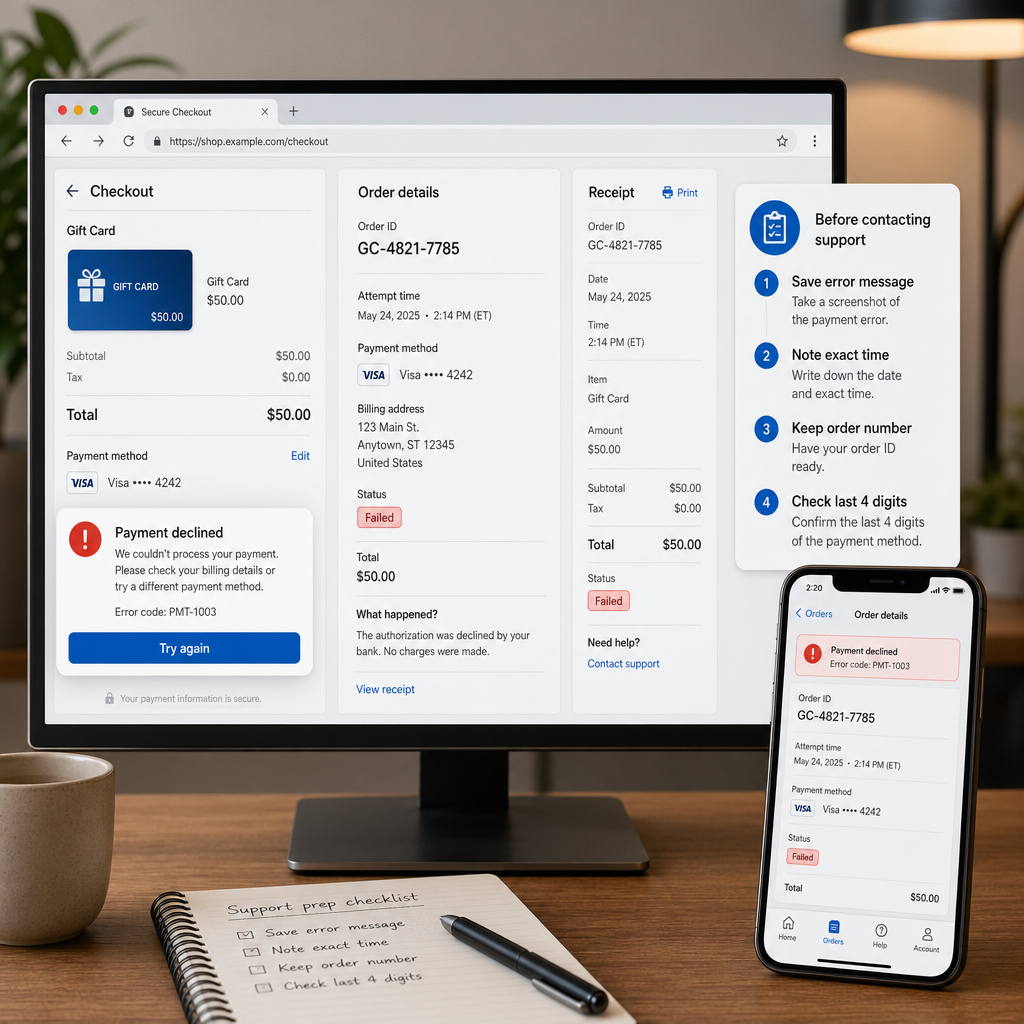
Good support tickets get solved faster because they leave less room for guesswork. Before contacting official support, collect the exact error message, the local time of the last failed payment attempt, the platform account region, the payment method type, and whether the bank shows a decline or a pending authorization.
Also note what you already tested: manual billing re-entry, another browser, a private window, VPN off, a second device, and bank confirmation. That cuts down the usual back-and-forth and makes escalation easier.
If possible, include the last four digits of the payment method, the order reference if one was generated, and whether the problem affects only gift cards or all checkout items. Keep it short and factual. A clean timeline is more useful than a long frustrated message.
If your bank confirmed that they approved the transaction but the merchant still failed it, say that clearly. That detail often points support toward store-side fraud review or a payment gateway issue rather than a basic billing problem.
FAQ
Why does my gift card order payment fail even though my card works elsewhere?
Gift card transactions are often screened more aggressively than standard purchases. A billing mismatch, region restriction, or merchant-side fraud filter can block a card that works fine elsewhere.
Can a billing issue happen even when all my card details are correct?
Yes. The card number and expiry may be correct while the billing address, postal code, account country, or verification step still fails. That is why manual billing re-entry matters.
Why do I see a pending charge after a failed checkout?
It is often a temporary authorization hold, not a completed charge. These usually fall off automatically once the bank releases them, though timing varies by issuer.
Should I try another payment method immediately?
Not over and over. If one corrected attempt fails, trying one other stable payment method is reasonable. Cycling through many payment methods in a short period can trigger extra review.
Can VPN use cause checkout or redeem code purchase problems?
Yes. VPN or proxy use can create a location mismatch between your account, device, and billing profile, which may lead to payment failure or fraud screening.
What if the redeem code region and my account region do not match?
That can block the purchase, the redemption, or both. The gift card market needs to match the storefront and account region where you plan to use it.
How long should I wait before retrying after several failures?
A few hours is a sensible starting point, especially if fraud filters or multiple pending authorizations may be involved. Then retry once in a clean session with corrected details.
Bottom Line
Most gift card checkout and billing failures stop looking mysterious once you stop treating them as one generic error. The best fix order is straightforward: pause, make sure no order already went through, re-enter billing details by hand, line up your region settings, check available funds, remove VPN or browser interference, and then confirm whether the bank blocked the charge.
If that still does not clear it, discipline matters more than persistence. Gather the facts, stop creating extra noise, and go to official support or your bank with a clean record of what failed and what you already ruled out. In payment troubleshooting, that usually works better than brute force.