

You have the credit pack picked out, the price looks fair, and then checkout asks for a player ID. That is where a simple purchase can turn into a mistake. One wrong digit, an old server, or a guest account you no longer use can send the credits somewhere they cannot be recovered from.
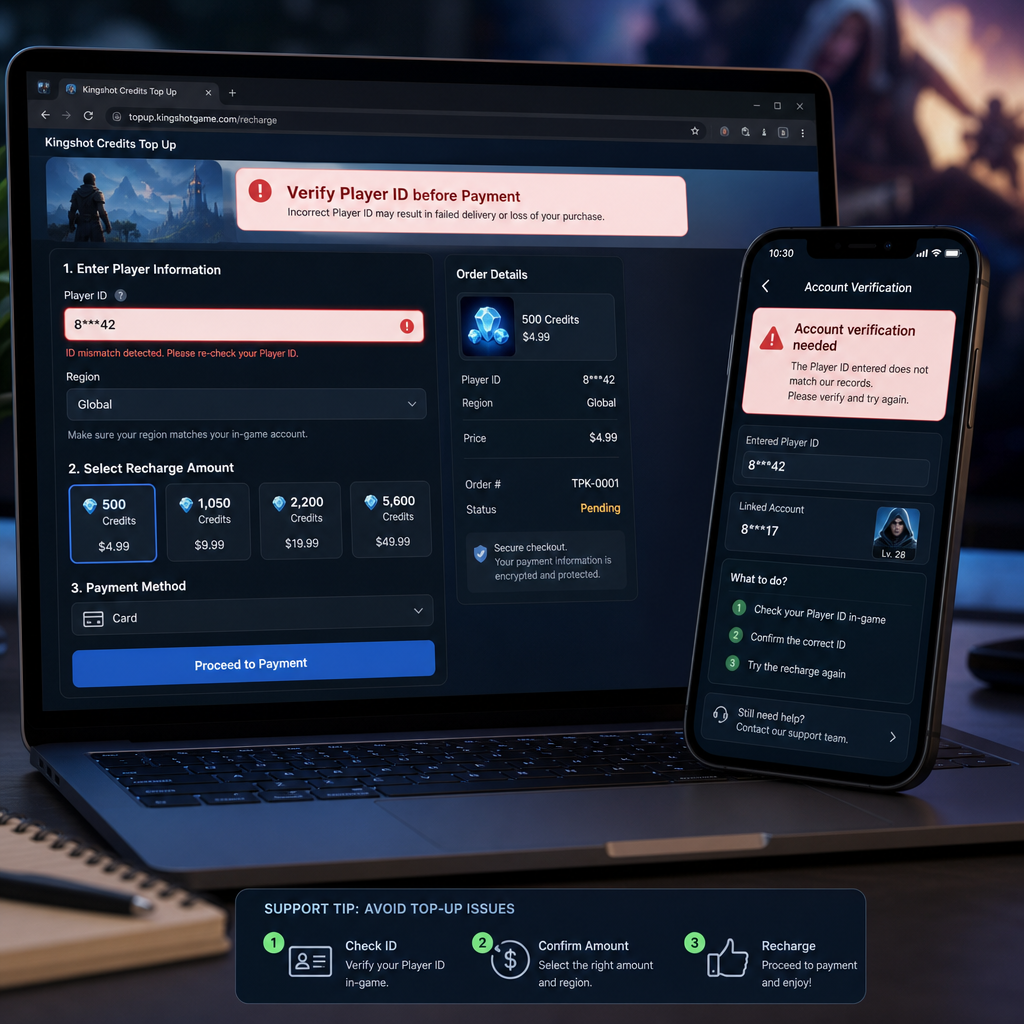
A Kingshot top up can be worthwhile if the seller shows the delivery method, account lookup, final price, and refund rules before you pay. It is not automatically better than buying in-game. The cheaper route only makes sense when you can prove the credits will land on the right account.
Use this as a pre-payment check before entering any Kingshot account details, especially if you are buying for a new profile, switching devices, or recharging for someone else.
Offer Scope and Eligibility
Most Kingshot credit offers fall into two practical groups: in-game purchases through the app store, and external top-up offers where you provide details such as player ID, server, or nickname. The external route is what players usually mean by player ID recharge. It can be quick, but it depends heavily on the information you submit.
Before comparing prices, confirm that the offer applies to your account. Some campaigns are limited by region, currency, platform, first-time buyer status, or payment method. A pack promoted in one market may not appear in another. A bonus may apply only to selected denominations. If a page says “instant delivery” but also mentions manual review, treat it as a normal processing window, not a guaranteed immediate top up.
Eligibility also depends on the recharge method. A login top up may require you to sign in through an official or partner flow. A player ID top up usually asks only for public account identifiers. As a rule, do not hand over full account credentials unless the flow is clearly official and secure. For routine Kingshot credits, player ID recharge is usually cleaner because it does not require password sharing.
The offer fits best if you are an active Kingshot player, you already know which credit pack you want, and you can verify your player ID inside the game before checkout. It fits poorly if you are unsure which account is active, recently changed servers, or are trying to recharge an account you cannot currently open.
Value Comparison
The main reason players look outside the in-game store is value. An external Kingshot top up may offer a lower final price, extra credits, cashback, or local payment options that are easier to use. The listed price is only the starting point.
Work out the real cost per credit. Divide the total price by the number of credits you are guaranteed to receive, including any confirmed bonus credits. Ignore “up to” bonuses until they appear clearly at checkout. If the pack looks cheaper but adds a processing fee at payment, the saving may shrink fast. Also check whether your card, bank, or wallet adds foreign exchange fees.
Then weigh the delivery risk. In-game purchases are tied to the account you are already logged into, so the chance of sending credits to the wrong player is low. External player ID recharge can work well when the account lookup is accurate, but it relies on the ID and sometimes the server being exactly right. A small discount is not worth much if the seller gives you no confirmation screen, no order record, and no clear route for fixing a wrong ID before delivery.
Timing matters too. If you need credits for a limited-time event, a delay of even a few minutes can be frustrating. Choose a route with a clear delivery estimate and avoid buying at the last second. If the price gap is minor, the official in-game route may be better value because the account match is built in. If the external offer is meaningfully cheaper and includes a proper account lookup step, it may be the stronger buy.
Decision Checklist
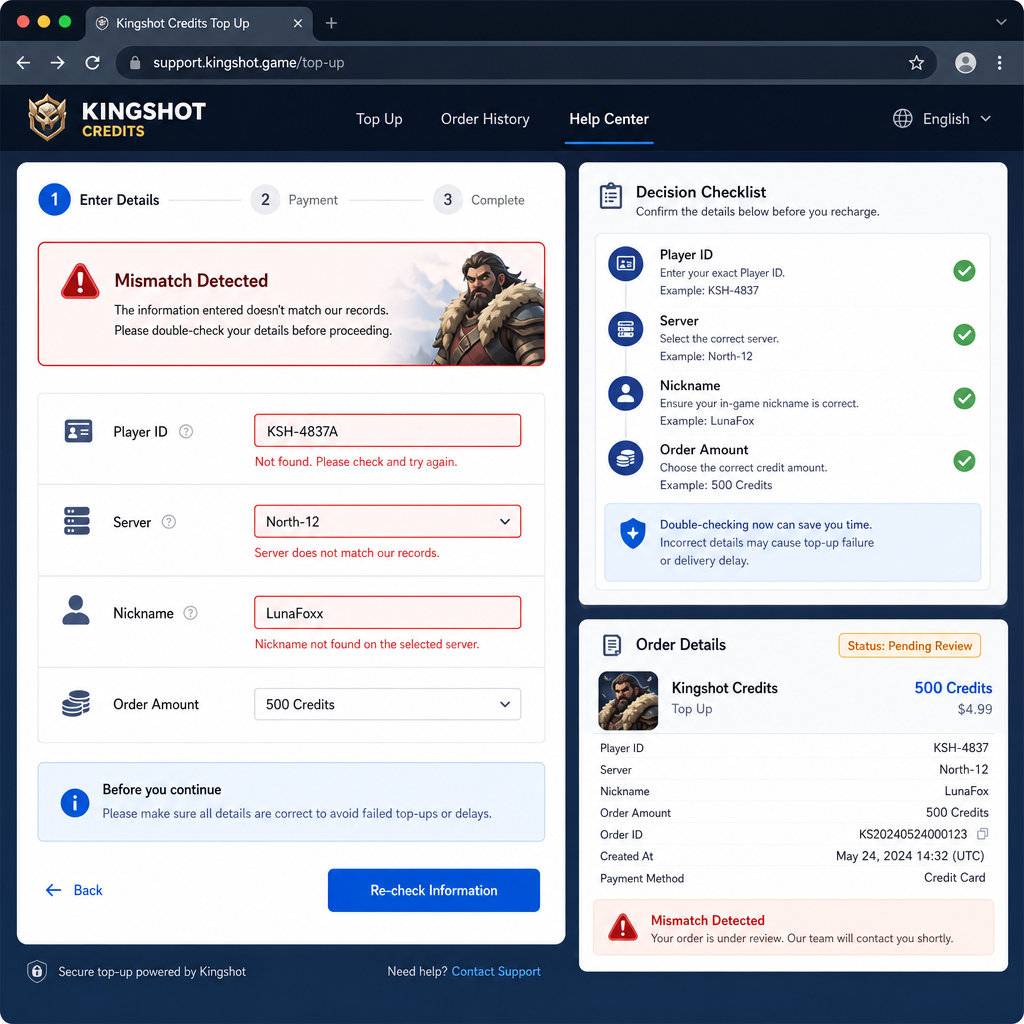
Run through this before every Kingshot recharge, even if you have bought before. Most top-up problems are not complicated technical failures. They are small account-detail mistakes made during checkout.
- Open Kingshot on the exact account you want to recharge. Do not rely on memory, old screenshots, or a friend’s message thread.
- Find your player ID inside the game settings or profile area. If you are trying to find the account ID, check the profile page, account settings, or user information panel. The label may vary, but it is usually a numeric or alphanumeric ID shown near your nickname.
- Copy the ID directly if possible. Manual typing causes errors, especially with similar-looking characters such as 0 and O, 1 and I, or long number strings.
- Confirm the server or region if the top-up form asks for it. A correct player ID with the wrong server field can still delay delivery or cause a failed account lookup.
- Check the nickname shown by the seller’s account lookup. If the checkout page displays a nickname after you enter the ID, compare it with the in-game account. Do not continue if the name looks unfamiliar.
- Review the credit pack and currency. Make sure you are buying the intended amount, not a nearby pack with a similar price.
- Read the refund and correction policy before payment. Some sellers cannot reverse a completed player ID recharge once the credits are delivered.
- Save the order number and payment receipt. If delivery is delayed, support will usually ask for both.
If you are topping up for another player, ask for a fresh screenshot of their profile page and get the desired pack confirmed in writing. Do not guess from an old ID. Kingshot accounts can be moved, renamed, or confused with guest accounts, and that is exactly where recharge mistakes happen.
Risk Warnings
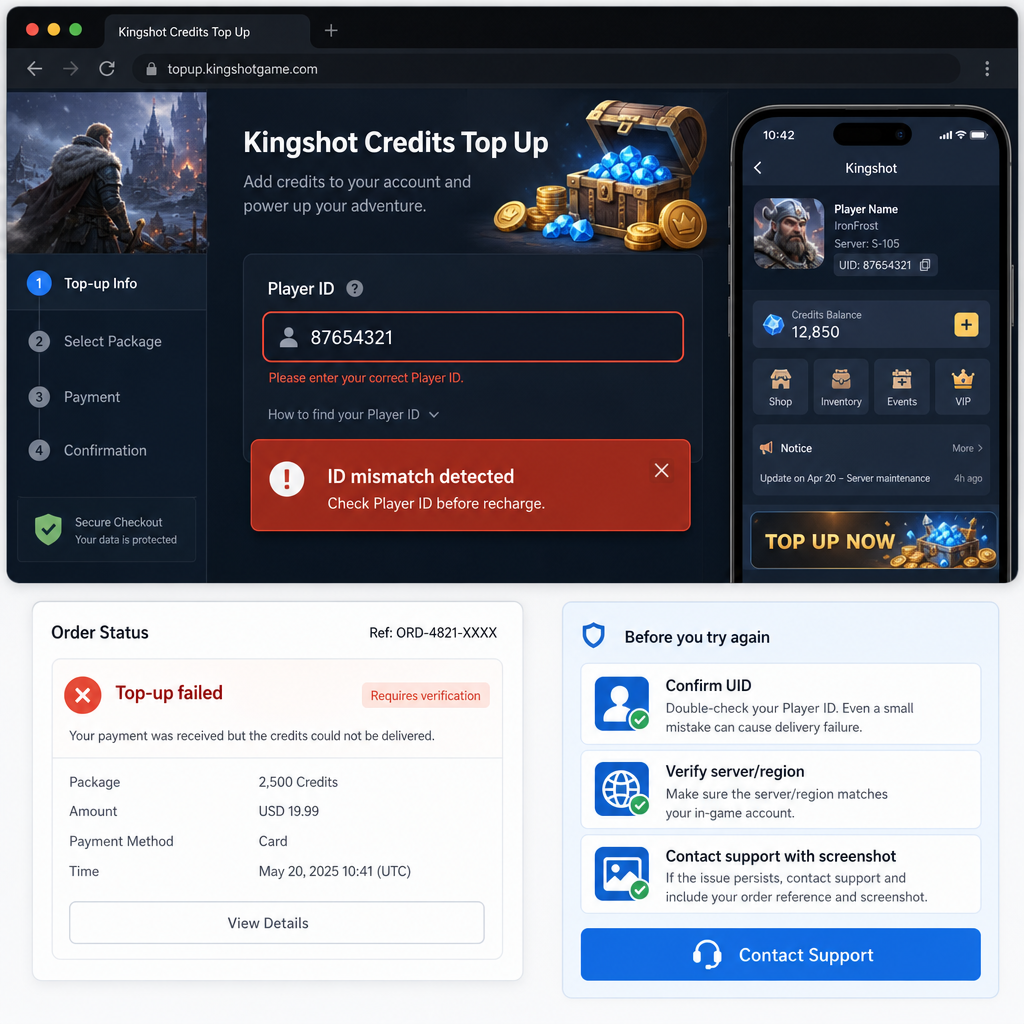
The biggest risk in a Kingshot top up is not usually payment failure. It is successful delivery to the wrong account. Once credits are credited to the wrong player ID, the seller may not be able to retrieve them. Game publishers and payment processors often treat digital currency as consumed or non-transferable once delivered.
Be especially careful with guest accounts. If you play Kingshot without binding your account to a stable login method, you may lose access after changing phones, clearing data, or reinstalling the game. Recharging an unbound account can leave you with credits on an account you cannot reach later.
Watch for fake login top up pages as well. A normal player ID recharge should not need your password. If a page asks for full login credentials, recovery codes, or personal documents for a simple credit purchase, stop and verify the source. A low price is not a reason to ignore account security.
Duplicate orders are another common problem. If the first attempt looks stuck, do not immediately submit a second payment. Check your order history, payment wallet, and email receipt first. Two successful payments can mean two completed recharges, and refund handling for digital credits is often strict.
Bonus wording deserves a hard look. “Limited bonus,” “event reward,” and “up to extra credits” do not always mean every buyer receives the same amount. Count only the value shown clearly on the checkout page before you pay.
FAQ
Do I need to log in to top up Kingshot credits?
Not always. Some sellers support player ID recharge, where you enter your Kingshot player ID and sometimes server information. Others use a login top up flow. For safety, prefer methods that do not require sharing your password unless the login page is clearly part of an official or trusted payment process.
How do I find my Kingshot account ID or player ID?
Open Kingshot on the account you want to recharge and check the profile, settings, or account information area. Look for a field labeled player ID, user ID, account ID, or something similar. Copy it exactly. If the top-up page has account lookup, confirm that the displayed nickname matches your game profile.
What happens if I use the wrong ID for recharge?
If the wrong ID receives the credits, correction is not guaranteed. Some sellers can help only before delivery is completed. After credits are sent, refunds or transfers may be impossible. Stop at checkout if the account lookup result does not match your nickname.
Is an external Kingshot credits offer better than buying in-game?
It depends on the final price, delivery speed, account verification, and support policy. External offers can be better when the discount is real and the player ID check is clear. The in-game store may be better when you want the lowest account-mismatch risk or need credits quickly during an event.
Can I top up Kingshot credits for a friend?
Yes, if the seller supports player ID recharge and you have your friend’s correct details. Ask for a current screenshot of their profile page, confirm server details, and double-check the credit pack. Do not use an ID saved from an old conversation.
Why does the top-up page show a different nickname after account lookup?
That usually means the player ID, server, or region is wrong, or the account has changed its display name. Do not pay until the information matches. A mismatched nickname is one of the clearest warning signs before recharge.
Bottom Line
A Kingshot credits offer is worth taking when the saving is real, the delivery method is clear, and the account check happens before payment. The safest routine is simple: open the game, copy the player ID from the active account, confirm any server field, verify the nickname through account lookup, then pay only after the pack and final price match what you expected.
If you cannot confirm the account, skip the offer until you can. A discount is not worth losing credits to the wrong profile or putting account security at risk on a questionable login page. For regular players who know their details and want better value, player ID recharge can be practical. For uncertain accounts, guest profiles, or last-minute event spending, the in-game store or a delayed purchase is usually the smarter call.