

You’ve picked a Sugo recharge package, then the payment screen throws a few choices at you: wallet, card, local payment option, bonus label, maybe even a third-party top-up page. At that point, the real issue is not just how to pay. It is whether the price is clear, the account details are right, and the credits will land where they should.
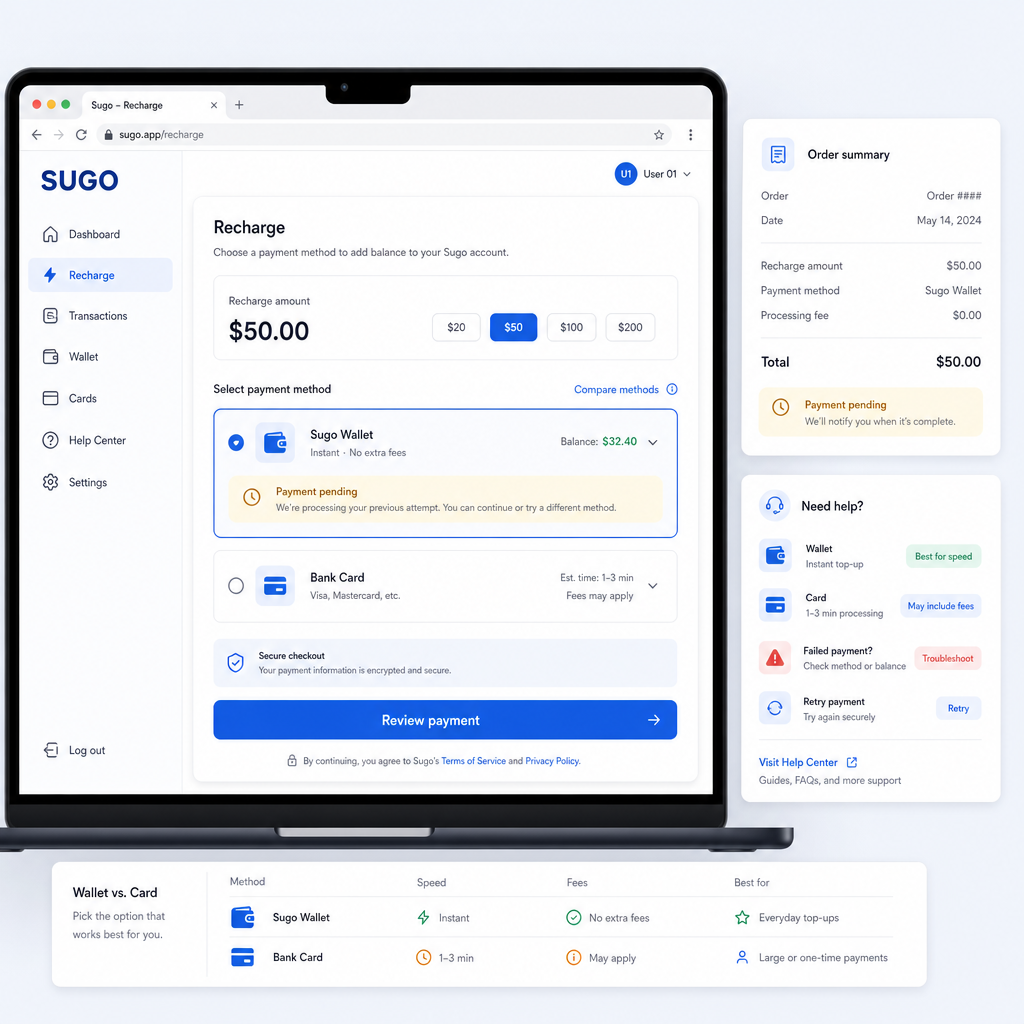
The payment route matters more than it first appears. Wallet checkout can be quicker once it is set up, but it may come with limits, verification steps, or its own service rules. Card checkout feels familiar, yet banks can block digital-goods payments, add currency fees, or ask for extra approval. A clean Sugo recharge setup means knowing what each option changes before you press pay.
Here is the practical version: how wallet and card checkout usually work for Sugo recharge buyers, what to compare before paying, and where the common mistakes happen.
What You Actually Get
When you buy a Sugo recharge, you are usually buying in-app value that can be used inside Sugo under the platform’s rules. Depending on the store, region, and package design, that value may be shown as coins, diamonds, credits, balance, or another app-specific unit. The label can vary. The important part is that you are buying digital value tied to a Sugo account, not a physical product.
The payment method is simply the route you use to pay for that value. In most checkout flows, the two main choices are wallet and card. A wallet usually means a stored digital balance or a linked e-wallet service. Card checkout usually means paying with a debit card, credit card, or sometimes a prepaid card if the processor accepts it.
A basic Sugo payment setup usually follows this pattern:
- Confirm the Sugo account details. Check the user ID, phone number, email, or account identifier before paying. A wrong identifier is one of the easiest ways to turn a small recharge into a support problem.
- Choose the recharge amount. Compare package sizes carefully. Bigger packs may offer better value, but only if you will use the balance.
- Select a payment method. Pick wallet if you want faster repeat checkout. Pick card if you prefer paying directly from your bank card.
- Complete verification. Wallets may ask for login, PIN, OTP, or biometric approval. Cards may require CVV, OTP, 3D Secure, or bank-app confirmation.
- Check the order status. After payment, look for a success message, receipt, or order number. Keep it until the Sugo value appears in the account.
Wallet setup is mostly about convenience. Once the wallet is verified and funded, or linked to a funding source, future Sugo recharge payments can be faster. That helps if you top up regularly or buy smaller amounts often. The trade-off is that wallet availability varies by country, and some wallets have spending limits, maintenance checks, or identity verification steps.
Card checkout is more direct. You do not have to keep money in a separate wallet. You enter the card details, approve the payment, and let the processor handle it. The weak spot is the bank side. Digital recharge purchases may be declined if they look unusual, cross-border, or too frequent. Card payments can also trigger foreign transaction fees depending on the bank and currency.
Price-to-Value Check
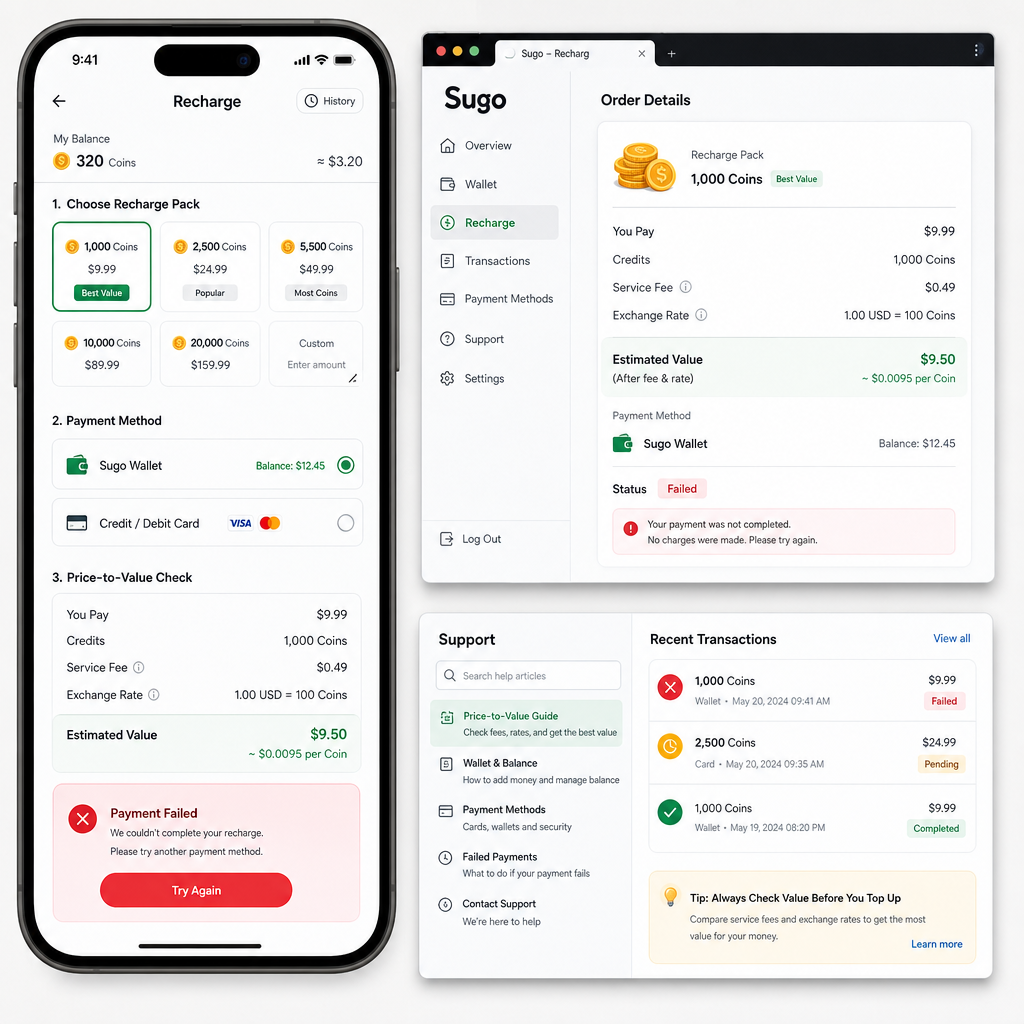
Before paying, do a quick price-to-value check. Sugo recharge prices may look simple, but the real cost depends on package size, payment fees, exchange rates, and active promotions. A cheaper-looking pack is not always the better deal if it gives fewer usable credits per dollar, pound, euro, peso, rupee, or local-currency equivalent.
Start with the unit cost. Divide the final checkout price by the amount of Sugo value you receive. If one package gives 1,000 credits and another gives 2,200 credits, the larger pack may be better value even with a higher headline price. Still, do not buy a bigger package just because the math looks nicer. Unused app balance is still money locked inside one platform.
Then check whether the payment method changes the final cost. Some wallets add a small service fee. Some card processors show a different amount after currency conversion. If your card is charged in a foreign currency, your bank may add a conversion or international transaction fee later, and that fee may not be obvious on the recharge screen.
Promotions need a close read. A “bonus” label may apply only to first-time buyers, selected packages, selected regions, or selected payment methods. A wallet promo may require a specific e-wallet. A card promo may require a card from a participating bank. If the bonus does not appear before final confirmation, do not assume it will be added afterward.
Commercially, the best Sugo recharge deal is not automatically the largest package. It is the package that fits your usage, shows a clear final price, uses a payment method you trust, and arrives fast enough for your needs. If you are topping up for a live session, event, or timed interaction, processing speed may matter as much as the discount.
When This Deal Makes Sense
A Sugo recharge makes sense when you already know how you plan to use the in-app value and you are comfortable with the checkout method. If you are only testing the app or are not sure you will keep using it, start smaller. That lets you check delivery speed, account matching, and payment reliability without tying up much money.
Wallet checkout makes the most sense if you already use that wallet, keep it secure, and understand its limits. It is especially practical for repeat top-ups because you avoid entering card details each time. If the wallet shows a real promotion on the Sugo recharge page, it may also beat card checkout on value.
Card checkout makes the most sense if you want a direct payment record from your bank and do not want to preload a wallet. It can also work well for buyers who use virtual cards, spending controls, or bank alerts to track online purchases. If your bank has strong transaction approval, card checkout can be both convenient and secure.
Use this short checklist before paying:
- Choose wallet if you recharge often, the wallet is already verified, and the final fee is clear.
- Choose card if you want direct bank tracking and are comfortable with online card verification.
- Choose a smaller pack if this is your first Sugo recharge or your first time using a new seller.
- Choose a larger pack only if the unit value is clearly better and you expect to use the balance soon.
- Wait if the checkout page does not clearly show the final price, account details, or order confirmation.
If you are comparing payment methods, do not stop at “is it accepted?” Ask which option gives you the cleanest checkout: fewer interruptions, a clearer receipt, better account protection, and less chance of a bank or wallet hold.
Risk Warnings
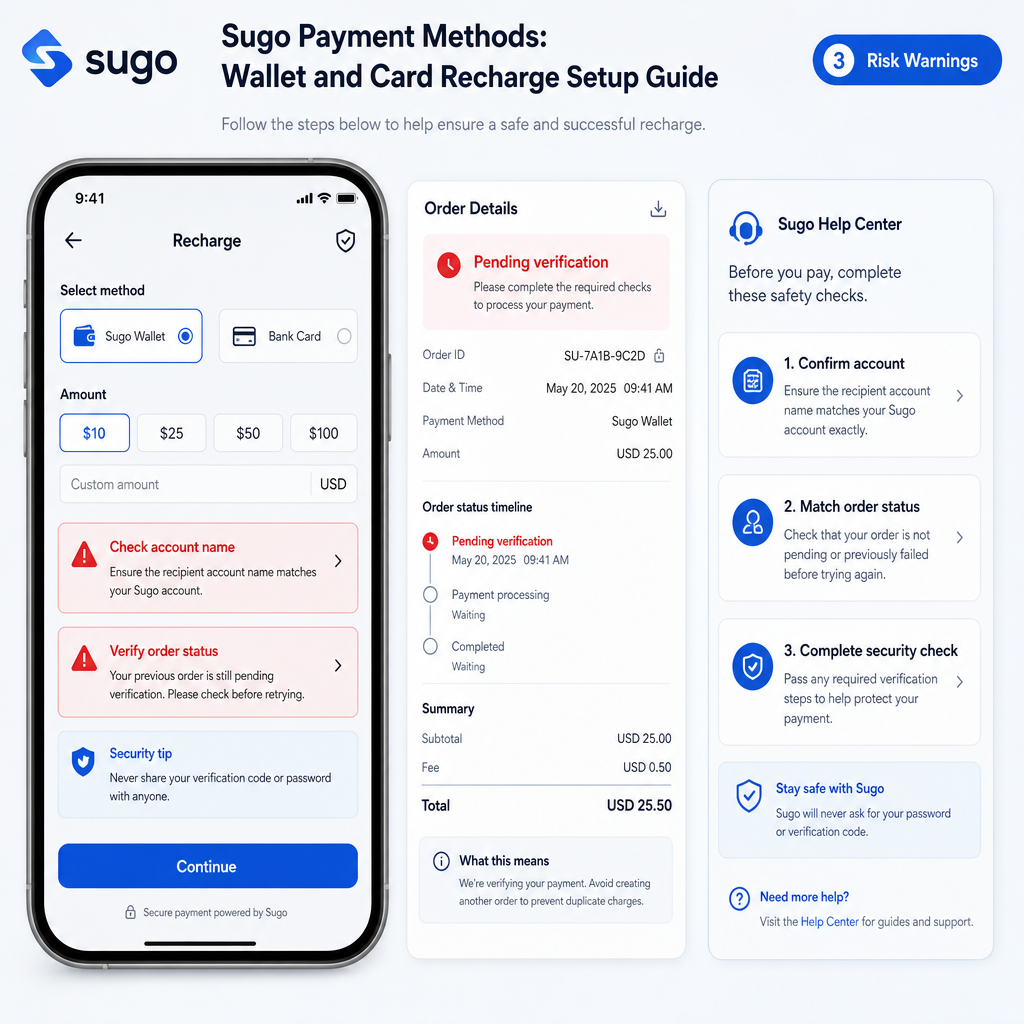
Digital recharge is convenient, but it is not risk-free. The biggest risk is sending value to the wrong Sugo account. Before approving payment, review every account detail. If the checkout uses a Sugo ID, copy it from the app rather than typing from memory. If it uses a phone number or email, check the country code and spelling.
The second risk is unclear seller reliability. If you are not buying inside the official app flow, look closely at the recharge provider. A trustworthy checkout should show the package, price, payment method, order status, and support path before or immediately after payment. For a broader look at package choice and delivery issues, the Sugo official recharge guide covers common value and payment-failure scenarios. Avoid any seller that pushes you to pay manually through chat without a proper order record.
The third risk is payment failure with a pending charge. This can happen with wallet and card checkout. Your payment may show as pending while the recharge has not completed. Do not immediately repeat the same purchase several times. Wait for the order status to update, check your wallet or bank notification, and keep the reference number.
Card users should watch for bank declines, duplicate attempts, and foreign transaction fees. If your card is declined, it does not always mean the recharge page is broken. Your bank may be blocking the merchant category, region, or risk score. Try approving it through your banking app or use another supported payment method instead of submitting the same card again and again.
Wallet users should watch for insufficient balance, identity limits, and session timeouts. A wallet may approve the login but still block the payment if the account has a daily limit or incomplete verification. If a wallet promo is involved, confirm that the promotion is still active at checkout, not only on a banner.
Finally, protect your login details. A legitimate Sugo recharge checkout should not need your full app password. Be cautious with any page or person asking for unnecessary account access, screenshots of private information, card photos, or one-time passwords outside the secure payment flow.
FAQ
Which Sugo payment method is better, wallet or card?
Wallet is usually better for repeat buyers who want faster checkout and already trust the wallet service. Card is better for users who want direct bank tracking and do not want to keep money in a separate wallet. The better option depends on fees, verification, and what is supported in your region.
How do I set up a wallet for Sugo recharge?
First, make sure the wallet is supported at checkout. Then log in to the wallet, complete any required identity or phone verification, add funds or link a funding source, and return to the Sugo recharge page. At payment, approve the transaction with the wallet PIN, OTP, or biometric check if required.
Why was my card declined during Sugo checkout?
Your bank may have blocked the transaction because it looked unusual, cross-border, high frequency, or related to digital goods. Check your banking app for approval requests, confirm that online and international payments are enabled, and make sure the card has enough available balance. If the decline continues, try another supported payment method.
Can I get a refund if I recharge the wrong Sugo account?
Refunds for digital recharge mistakes are often difficult and sometimes not available once value is delivered. This is why checking the account ID before payment matters. If you make a mistake, contact the seller or platform support quickly with the order number, payment receipt, and incorrect account details.
Why does the final Sugo recharge price differ from the listed price?
The difference may come from payment method fees, currency conversion, bank charges, taxes, or regional pricing. Always review the final amount on the checkout confirmation screen before approving the wallet or card payment.
Should I save my card for faster Sugo recharge next time?
Only save your card if the checkout provider is reputable, your account has strong login security, and you are comfortable with stored payment details. If you share the device or often use public Wi-Fi, entering the card manually or using a wallet may be safer.
Bottom Line
A good Sugo recharge setup is not complicated: confirm the account, choose a package you will actually use, compare wallet and card costs, and keep the payment record until the value arrives. Wallet payments are convenient for repeat top-ups. Card payments give many buyers a clearer bank trail. Neither option wins every time.
The price makes sense when the final amount is transparent, the payment method is secure, and the package value matches how you use Sugo right now. If the checkout feels vague, rushed, or poorly supported, step back before paying. With digital recharge, careful checkout beats a small discount.