

You try to buy UC, approve the payment, and PUBG MOBILE or the store throws a failed payment message. Maybe your bank app already shows money leaving. Maybe there is no charge at all. Either way, stop before tapping the buy button again.
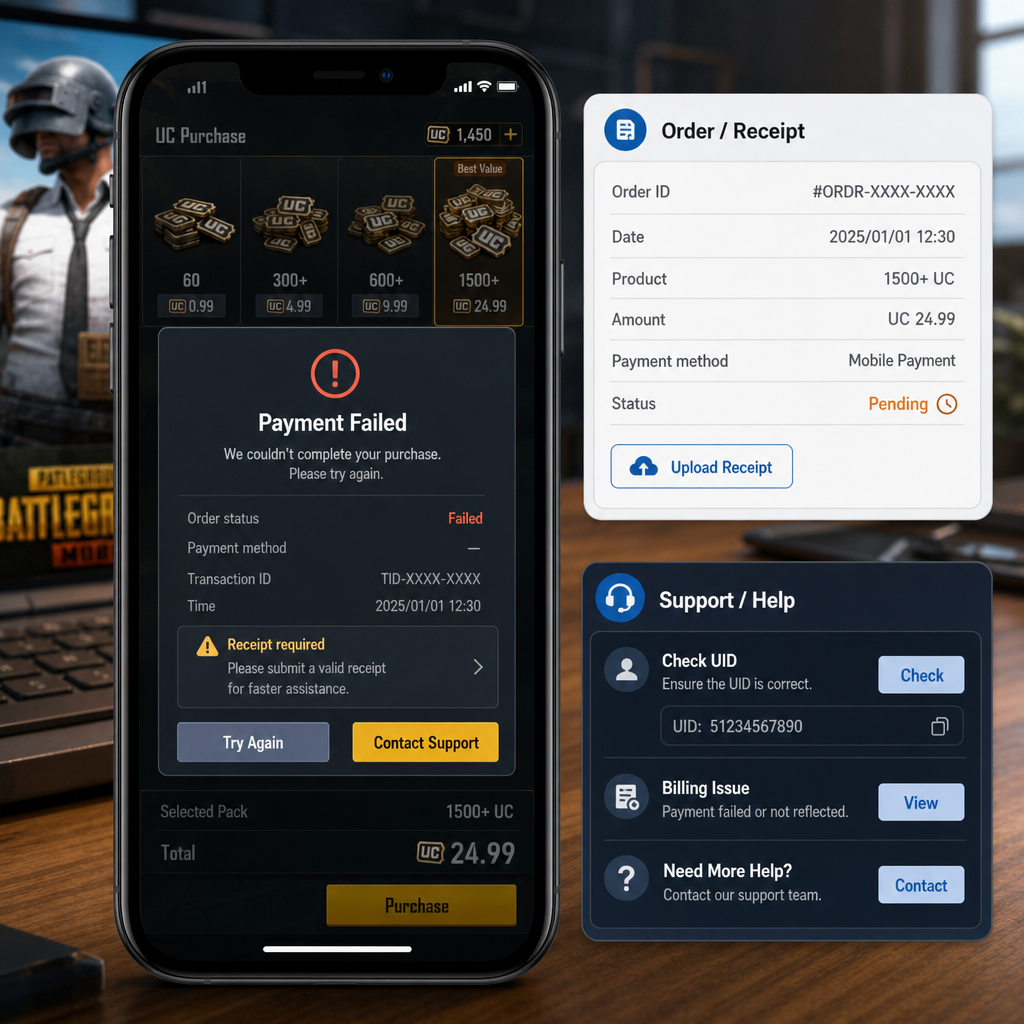
Most UC billing problems are not fixed by guessing. First work out what actually happened: was an order created, did the payment complete, and which company processed it? PUBG MOBILE, Apple or Google, your bank or wallet, and an official recharge site may each hold a different piece of the record.
The goal here is simple: protect your money, avoid duplicate charges, and prepare proof that support can actually use. If you have a billing error, missing UC after payment, or a UID issue from an official recharge page, go through these steps before making another purchase or opening a dispute.
Symptom Check
Start with the exact thing you saw. A vague “it failed” report slows everything down because different messages point to different systems.
Payment failed before confirmation: If the error appeared before you entered a password, OTP, Face ID, or wallet confirmation, the order may never have existed. Check your bank, wallet, or mobile billing history first. If there is no pending or completed charge, you usually do not need PUBG MOBILE support yet. Fix the payment method or try later.
Payment failed after confirmation: Treat this more carefully. If you approved the payment and then saw an error, a pending transaction may exist. Do not buy the same UC pack again right away. Open your payment history and look for a transaction ID, order number, authorization code, time stamp, and amount.
Charged but UC not delivered: This is the missing-UC case players worry about most. The proof depends on where you paid. In-app purchases usually need the app store receipt. Official recharge or authorized recharge pages usually need the recharge order number, PUBG MOBILE UID, region or server details if shown, and proof of payment.
Wrong UID or account concern: If you entered a UID manually on an official recharge page, check it digit by digit. PUBG MOBILE UIDs are numeric. One wrong digit can send UC to another account if the order completed. Support options may be limited if the UC was delivered to the UID you submitted.
Payment pending: Pending is not the same as failed. Banks, wallets, and carrier billing systems often reserve funds while the merchant decides whether to capture the payment. The hold may drop off by itself. Save proof, but do not open several tickets unless the status changes to completed and the UC is still missing.
What Usually Causes This
Most UC payment errors come from a mismatch between the game account, store account, payment processor, and recharge channel. The message on screen may be short. The cause is often buried two or three steps behind it.
Payment authorization failed: Your card issuer, wallet, carrier billing provider, or bank may reject the transaction. Common reasons include low balance, regional restrictions, expired card details, failed OTP, spending limits, fraud checks, or a payment method that does not allow digital goods.
Network interruption: A weak connection can break the handoff between PUBG MOBILE, the app store, and the payment provider. That is why a player can approve payment and still see a failed message. The payment system may need time to reconcile the order.
Store account mismatch: For in-app purchases, the receipt belongs to the Apple ID or Google account signed in on the device at that moment. If you switch store accounts often, the receipt may not be under the account you expect. Family payment methods and shared devices make this even messier.
Region or currency conflict: PUBG MOBILE versions, store regions, payment cards, and recharge pages do not always line up. A card issued in one country may fail on a store account set to another country. Official recharge pages can also block certain payment methods by region.
UID entry error: For official recharge UID problems, the usual human mistake is a wrong digit or an extra pasted space. If the recharge page shows the nickname before payment, check it. If it does not show a name, slow down before paying.
Delayed delivery: UC usually arrives quickly, but delays happen during store checks, payment review, server congestion, or maintenance. A short delay does not mean the UC is gone. What matters is whether you have a completed receipt and whether the UC appears after restarting the game and checking the correct account.
Fix Sequence
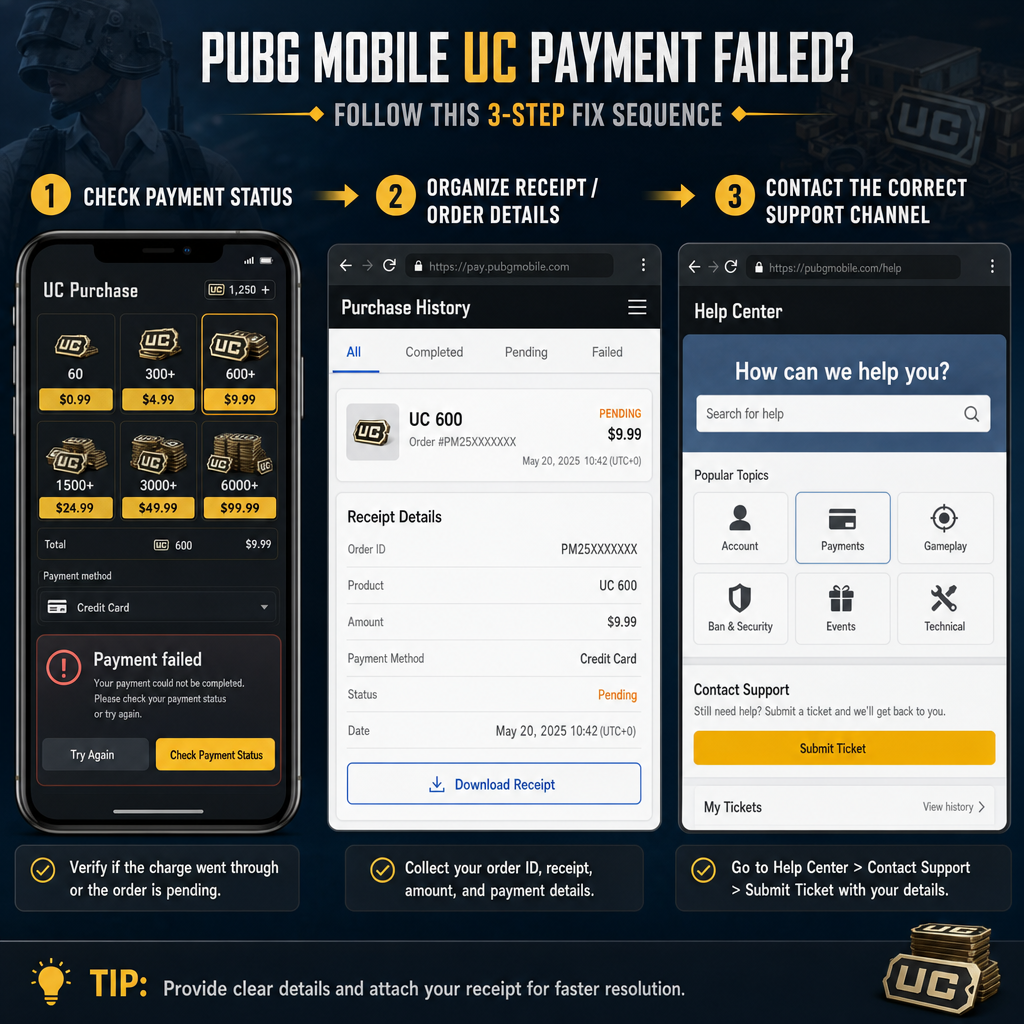
Use this order. It feels slower than trying again immediately, but it gives you a cleaner record and lowers the risk of duplicate charges.
1. Stop retrying for a few minutes. After a failed payment message, wait. Repeated attempts can create duplicate pending holds or multiple completed purchases, especially if your bank app updates late.
2. Restart PUBG MOBILE and check the UC balance again. Close the game fully, reopen it, and enter the lobby with the same account. Make sure you are not on a different social login, guest account, or regional version. Check your UC balance, in-game mail, and any purchase history area available in your version.
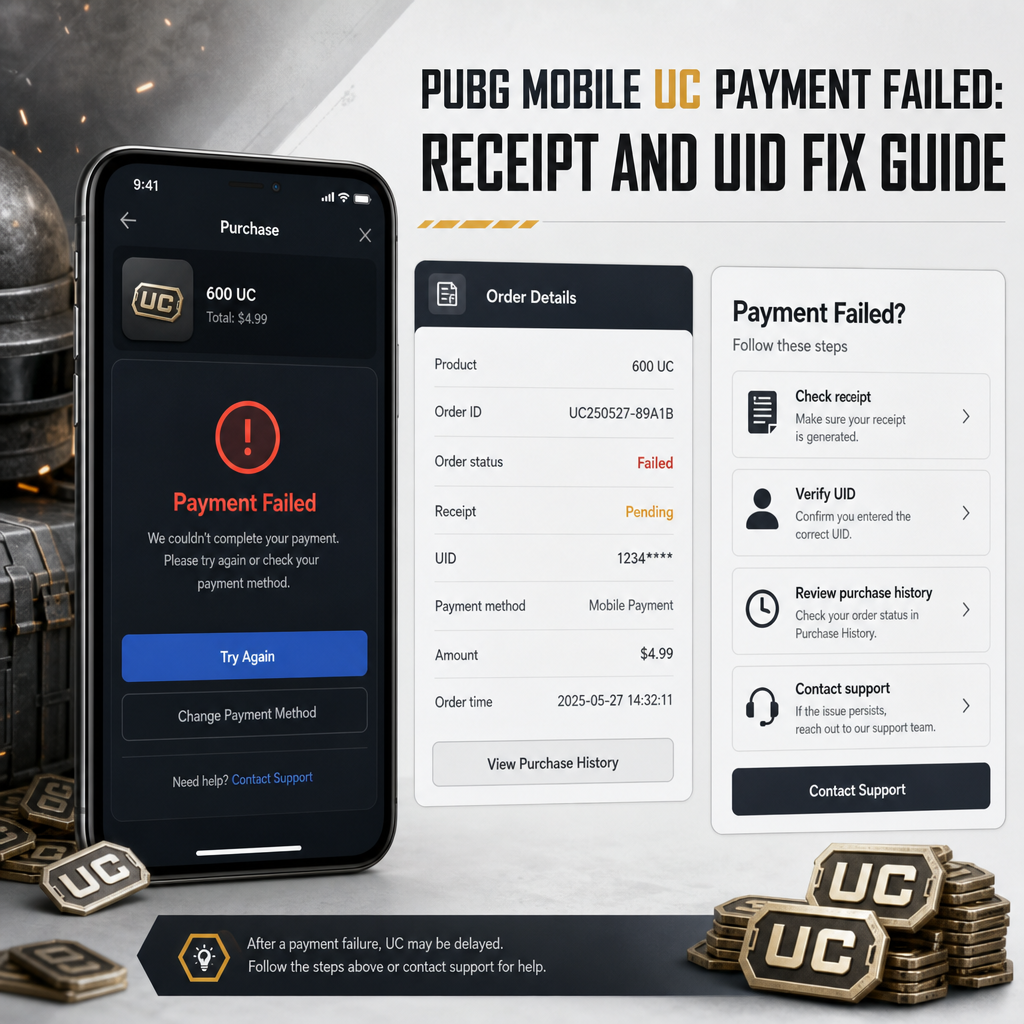
3. Check payment status outside the game. Open the app store purchase history, wallet history, bank app, carrier billing record, or official recharge account page. You are looking for one of three states: no charge, pending authorization, or completed/paid. A screenshot of the game error alone is rarely enough.
4. Match the amount, time, and product. Compare the UC pack price, tax if any, transaction time, and currency. If you made several attempts, label them in order. For example: attempt one failed with no charge, attempt two is pending, attempt three completed but no UC arrived. This keeps support from checking the wrong order.
5. Prepare your proof folder. Save screenshots before notifications or order pages disappear. A solid billing case should include: PUBG MOBILE UID, character nickname, login method, device model, game version if available, purchase date and time with time zone, UC pack amount, payment amount, payment method type, order ID, transaction ID, receipt number, and a screenshot of the failed payment or billing error message.
6. If it was an in-app purchase, use the store receipt first. Purchases made through the Apple App Store or Google Play usually run through their billing systems. If you were charged but no UC arrived, the store receipt is your strongest proof. Keep the full receipt visible, including order number, item name, date, amount, and payment status. Do not crop it so tightly that support cannot verify it.
7. If it was official recharge, verify the UID and order page. For UID troubleshooting, capture the recharge order page, UID entered, nickname if shown, package purchased, payment status, order number, and payment receipt. If UC went to the wrong UID because of a typing mistake, say that plainly in the ticket. A clear explanation helps support check the record faster.
8. Wait for pending payments to settle. If your bank or wallet says pending, the money may not have fully transferred. Many pending authorizations reverse automatically if the merchant does not capture them. Contacting PUBG MOBILE before the transaction becomes final often gets you a generic answer because there is nothing final to trace.
9. Contact the right support channel. If the app store charged you, start with the store billing support or purchase history process. If an official recharge site charged you, use that platform’s support with your order number and UID. If the receipt shows completed and the recharge channel says delivery failed, then PUBG MOBILE in-game support becomes more relevant.
10. Keep the ticket short and evidence-based. A useful message looks like this: “I purchased [UC amount] on [date/time/time zone]. Payment status is completed, but UC has not arrived on UID [number]. Order ID is [ID]. I attached the receipt, payment screenshot, UID screenshot, and error screenshot.” That works better than five angry paragraphs with no order details.
Risk Warnings
Do not share your account password, social login code, OTP, full card number, or recovery codes with anyone claiming they can fix a PUBG MOBILE recharge problem. Real support does not need your password to verify a payment issue.
Be careful with cheap UC offers, unofficial sellers, and social media recharge agents. If a seller asks only for your UID, the risk may look small, but the payment and refund record will not belong to you. If something fails, you may not have the receipt needed for support. Suspicious recharge activity can also put your account at risk, depending on where the UC came from.
Do not file a chargeback immediately if you still want the UC and want the account to stay in good standing. Chargebacks can trigger restrictions through stores or payment systems. If the transaction is truly wrong or unauthorized, follow your payment provider’s dispute process, but understand that disputes and normal missing-UC support are not the same thing.
Avoid editing screenshots beyond hiding private information that support does not need. Do not alter transaction IDs, dates, names, or amounts. Manipulated proof can get rejected and may slow down a legitimate case.
Do not delete emails, SMS confirmations, app notifications, or bank alerts after a failed payment message. Those small records can prove time, amount, and payment status when the game screen shows very little.
When Support Is Actually Needed
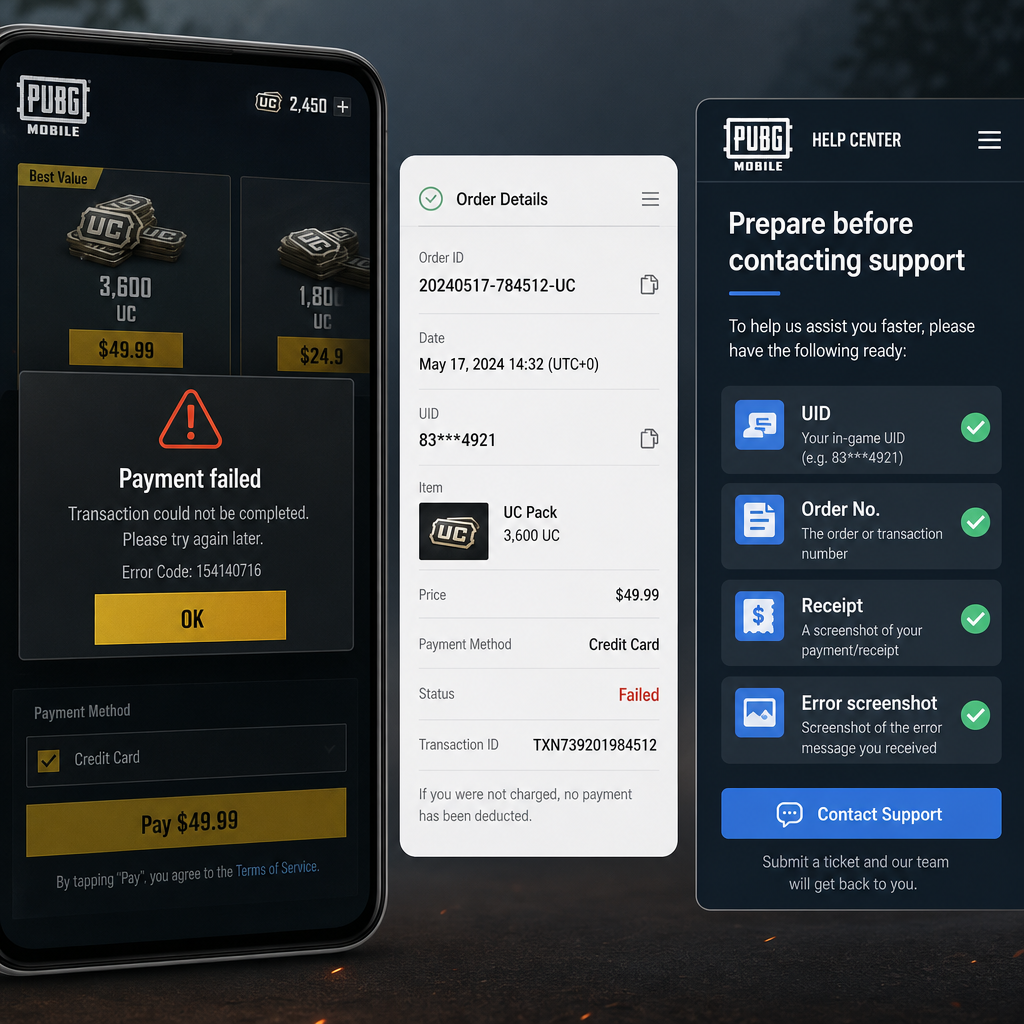
You do not need support for every failed payment screen. If there is no charge and no pending hold, the clean fix is usually to correct the payment method, check the connection, wait a bit, and try once more.
Support is needed when the payment status is completed but UC still has not arrived after a reasonable wait. It is also needed when an official recharge order shows paid but not delivered, when the order page shows delivery failed, or when the same completed purchase appears to have been charged twice.
Support also makes sense if you have a completed store receipt but PUBG MOBILE still does not show the UC after restarting, checking the correct account, and waiting. In that case, the receipt is the center of the case. Without it, support may not be able to tell the difference between missing UC and a failed authorization.
If you entered the wrong UID during official recharge, contact the recharge platform quickly. Include the wrong UID entered, your correct UID, order number, date, and receipt. Do not assume the transfer can be reversed. If the UC was already delivered to the UID you typed, recovery is uncertain. Fast reporting helps, but it does not guarantee a fix.
For duplicate charges, prepare proof for each transaction separately. Support needs to see whether both orders completed, whether both delivered UC, and whether one was only a temporary authorization. A bank statement showing two amounts helps, but order IDs are better.
FAQ
Why does PUBG MOBILE say payment failed but my bank shows a charge?
Your bank may be showing a pending authorization, not a completed charge. Wait for the status to update. If it becomes completed and UC still does not arrive, save the receipt and contact the correct support channel.
What proof should I prepare for a PUBG MOBILE UC billing error?
Prepare your UID, nickname, purchase date and time, UC pack, amount paid, payment method type, transaction ID, order ID, full receipt, payment status screenshot, and any recharge or billing error screenshot shown in the game or recharge page.
Should I retry the same UC purchase after a payment failed message?
Only retry after checking that there is no completed charge and no active pending payment. If you retry too quickly, you may create duplicate pending holds or multiple successful purchases.
Who should I contact first for an in-app UC purchase?
Start with the app store billing record because the store processes the payment. If the store receipt is completed but the UC is missing, use that receipt when contacting PUBG MOBILE or the relevant support path.
What if I used official recharge and typed the wrong UID?
Contact the recharge platform immediately with the order number, wrong UID, correct UID, receipt, and time of purchase. If the UC was already delivered to the entered UID, reversal may not be possible, but a clear report is still the best move.
How long should I wait for missing UC after a completed payment?
Many deliveries are quick, but delays happen. Restart the game and confirm the correct account first. If the payment is completed and UC is still missing after the platform’s normal processing window, prepare proof and contact support.
Can a screenshot of the error message alone solve the case?
Usually not. An error screenshot helps explain what happened, but support needs transaction proof. The receipt or order ID is what lets them trace the payment.
Bottom Line
A failed UC payment is frustrating because the game often shows less detail than the payment system. The wrong move is to keep tapping purchase. Check whether money actually moved, confirm the status, and collect proof before opening a ticket.
For in-app purchases, the store receipt matters most. For official recharge, the UID, order number, and payment receipt are the core records. Clean details usually shorten the back-and-forth.
The rule is blunt: no completed charge means fix the payment method and retry carefully; completed charge with no UC means document everything and contact the right support channel; wrong UID means report it fast with exact order proof. That order gives you the best chance of fixing the issue without creating a second one.