

You paste a code, click pay, and the coins never arrive. The receipt clears your bank account, but your balance stays flat. Usually, the problem is a single wrong digit. Third-party top-up portals process volume, and they don’t pause to ask if you meant to fund a different profile. Credits land. They don’t bounce back.
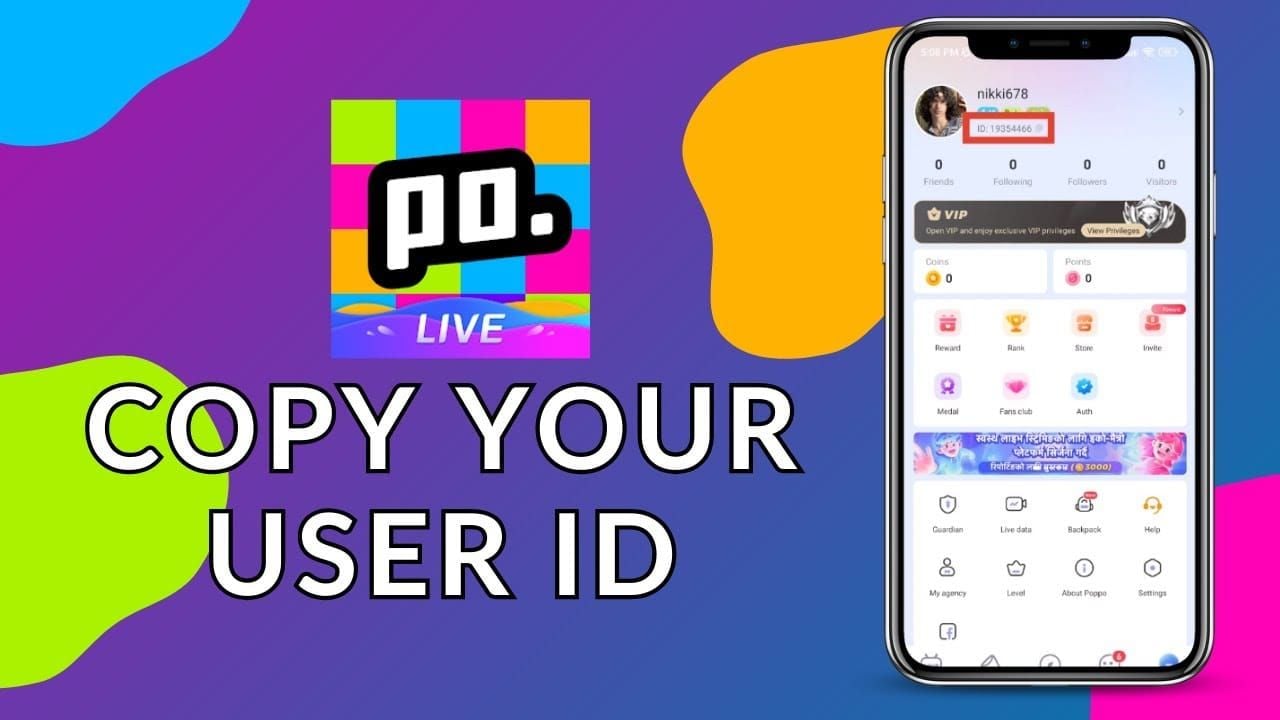
Treat every transaction like a wire transfer. You wouldn’t route money without checking the routing number first. Poppo Live works the same way. The backend only reads one specific numeric sequence. Display names and social handles are for show. The actual account ID is the only key that unlocks the payment gateway. Build a quick verification habit now. It takes thirty seconds and saves you from chasing support tickets later.
Root Cause Matrix
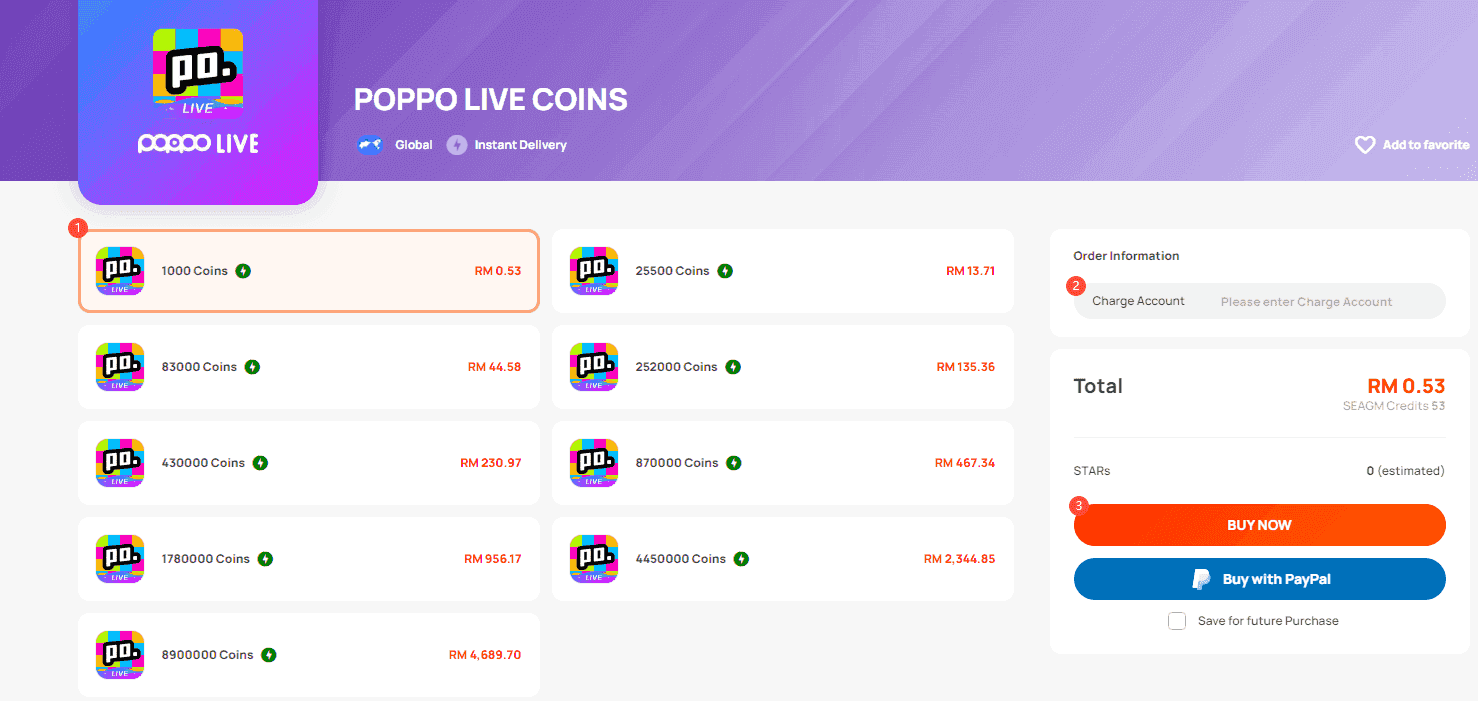
Most misdirected funds trace back to predictable friction points. The biggest trap is confusing a display name with the system identifier. Sellers and automated forms ask for an ID, but the app prominently shows a username. They aren’t interchangeable. Type a name into a numeric field and the gateway either rejects it or routes the money to whoever actually owns that string.
Browser autofill is another quiet saboteur. You topped up a friend’s account last week. Today, the browser silently drops that old number into your current form. Or you copy from a chat window and pull in a hidden space. The system reads the whitespace as part of the code. The payment goes through, just to the wrong place.
Interface updates don’t help either. Platforms shift labels, bury the input field under banners, or rename the box to something vague. Rushing the checkout screen guarantees mistakes. The pattern is always the same: ambiguous labels plus rushed inputs. Slow down at the entry point. Cross-reference before you tap submit.
Step-by-Step Troubleshooting
Run this sequence every time you add funds. It takes a minute and removes the guesswork.
First, open the app on the device where the account is actually logged in. Go to the profile screen. Find the numeric string under the avatar or inside account settings. Write it down or use the app’s native copy button. Don’t trust memory. Don’t trust screenshots that crop the edges.
Second, verify the number before paying. Drop it into a search bar on the recharge portal or a fresh browser tab. If the platform pulls up the exact username you’re expecting, you’re good. If it shows a stranger’s profile or throws an error, stop. The code is wrong.
Third, clear your form. Disable autofill temporarily. Open the official or authorized recharge page. Paste the verified code. Check the length. Valid IDs are strictly numeric and fall within a known range for your region. For a reliable source to check current portal status, you can review the verified top-up partners listed on their main dashboard.
Fourth, test the waters. If the portal allows it, buy the minimum denomination first. Watch the delivery window. If the coins hit the account, finish the rest. If you’re forced into a single bulk purchase, take a screenshot of the confirmation screen showing the input code and the target profile preview. Keep it.
Fifth, read the receipt. Match every digit against your notes. Check the server region, currency, and account tier. Then submit.
If Still Not Resolved
Careful checks don’t guarantee instant delivery. Payment gateways lag. Regional servers sync slowly. Resellers batch orders. If the balance doesn’t update after fifteen minutes, don’t double-pay. Duplicate orders trip anti-fraud flags and can freeze the profile.
Refresh the app first. Log out and back in. Server updates often push pending balances only after a fresh handshake. Check your bank or wallet dashboard. If the charge still says pending, the recharge hasn’t cleared. Wait for the network to finalize.
If the charge is complete but the account is empty, gather proof. Order ID. Timestamp. Exact amount. The code you entered. Match this against the seller’s delivery policy. Some vendors only process during specific hours. If you’re outside that window, it’s a delay, not a loss. Send the documentation to the seller and ask for a manual trace.
Risk Warnings
Unofficial channels multiply the stakes. The worst case is permanent fund loss. Once credits hit a stranger’s balance, the platform treats it as final. Support rarely reverses completed transactions unless merchant fraud is proven.
Unverified sellers thrive on urgency. They’ll push you to skip verification or hand you a shortened link that bypasses the standard checkout. Those routes often harvest session tokens or route payments through unsecured gateways. Always check the domain. Stick to recognized portals. If you need to cross-reference a safe route, the official recharge directory maintains updated links and vendor ratings.
Account suspension is the other real threat. Anti-fraud algorithms track recharge patterns. Mismatched IDs, rapid retries, or compromised third-party payment methods trigger reviews. You might face temporary blocks, revoked coins, or permanent restrictions. Treat every top-up as a permanent ledger entry. There is no undo button.
Before Contacting Official Support
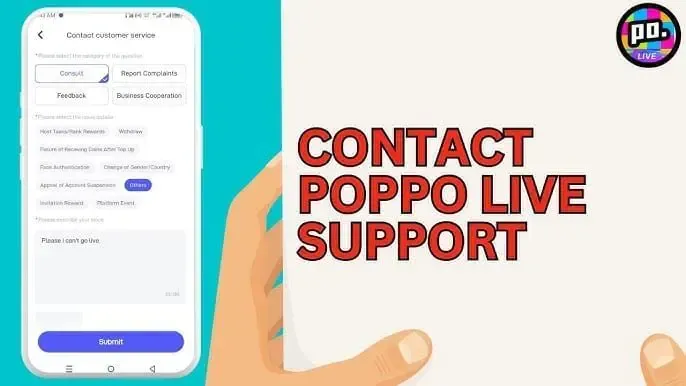
Support teams run on structured data. Vague complaints sit in the queue. Build a complete case file before opening a ticket. Include the exact string you entered, a clear screenshot of your profile showing the active identifier, and the transaction receipt with the merchant order number.
Log the exact time and timezone. Note the payment method: digital wallet, bank card, regional voucher. Mention any promo codes or event tags. Agents use this to separate routing errors from backend delivery failures.
Keep the message tight. State the issue. Attach the evidence. Request a specific action. Skip the emotional framing. One detailed ticket with complete attachments moves faster than five fragmented follow-ups.
FAQ
Where do I find the UID or ID in the app?
Open the app, tap your profile avatar. The numeric identifier sits directly below your display name in the account summary. You can also find it in settings under account information, usually labeled User ID or UID.
What happens if I enter the wrong ID?
The gateway routes credits to whichever account matches the entered string. If it belongs to another active user, the coins deposit instantly. Recovery is highly unlikely unless the recipient voluntarily sends them back.
Can I get my money back if it goes to the wrong account?
Official support doesn’t guarantee reversals for input errors. Contact the third-party seller immediately. Reputable vendors keep a dispute window and can issue a credit or refund if they catch the misroute before final delivery.
Can I recharge using a display name instead of a code?
No. Names change, contain special characters, and aren’t unique system keys. The backend payment infrastructure requires the numeric account ID to ensure accurate routing.
Why does the receipt say successful but my balance is empty?
Network latency or server sync delays are common. Refresh, log out and back in, or wait thirty minutes. If it still doesn’t update, verify the entered code matches your profile exactly and check for pending holds on your payment method.
Bottom Line
Recharging a live app is straightforward until a digit slips. The line between a clean top-up and lost money is a quick verification habit. Treat the numeric ID as the only truth. Ignore display names. Clear browser memory. Never rush the input field. The platform architecture doesn’t guess, and it doesn’t forgive typos. Cross-check before every payment. The extra half-minute prevents hours of dispute emails and keeps your balance secure. Keep your records tight, stick to verified channels, and let routine handle the rest.